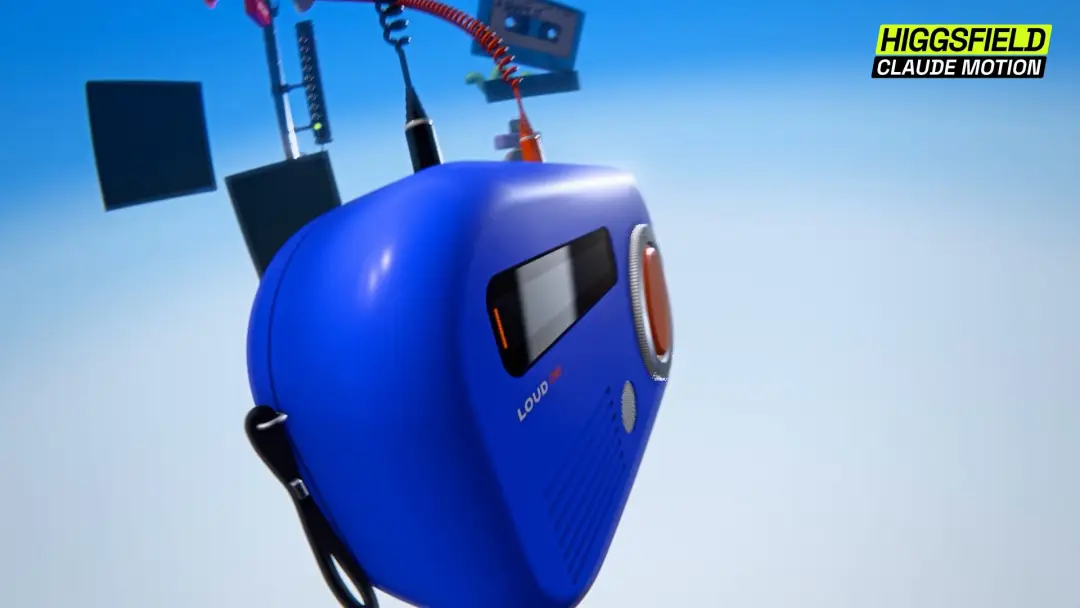
PHYLLA launch film with no video generation
A launch film for PHYLLA, billed in the prompt as a "NEW LANGUAGE MODEL", made entirely on Claude with Higgsfield Katana. Higgsfield says it used 0% video generation and 100% code; the prompt itself names Claude Motion.
Prompt
Quoted verbatimNeeds inputs or extra tools
<inputs>
Use the attached PHYLLA video as the primary reference. Inspect its compositions, typography, scene changes, motion, and audio before building.
Ask me for any available original image assets, PHYLLA logo, brand fonts, Higgsfield/Katana branding, and soundtrack. Ask only for information that cannot be recovered from the reference.

If I skip anything, use these defaults:

Brand: PHYLLA.
Product descriptor: “NEW LANGUAGE MODEL”.
Ending tagline: “Generative intelligence”.
Duration: 30 seconds.
Frame rate: 24 fps.
Main film: 1920 × 1080.
Showcase version: 2560 × 1536.
Typography: a bold grotesk sans serif paired with a high-contrast italic serif.
Imagery: botanical macro photography, translucent biological forms, pastel sculptural objects, intimate human portraits, and procedural scientific graphics.
Use original assets where available. Otherwise, create suitable still-image replacements that match the reference’s composition, materials, and palette. Keep photographic assets separate from procedural graphics in the project.
</inputs>

<direction>
Create a complete launch film for PHYLLA using Higgsfield Katana and Claude Motion.
The story: a word behaves like a seed. A person supplies it, intelligence responds, and an entire world grows from that small beginning.

The visual language combines luxury beauty editorial, microscopic nature photography, and precise computational graphics. It should feel tactile, intimate, and carefully art-directed.
Alternate between near-black and warm ivory backgrounds. Use soft pink, peach, pale mint, and muted green throughout. Reserve saturated blue, violet, and orange for brief contrast moments.

Starting palette:

Near-black: #080A09.

Charcoal: #141615.

Ivory: #F4EBDD.
Warm white: #EFEFEF.
Pink: #E8A5C7.
Peach: #F0BC9F.
Mint: #BCDCCE.
Muted green: #779B83.
Higgsfield lime: #D1FF17.
Keep lime mostly in branding, selection outlines, and small interface accents.
Use extreme changes in scale: a tiny seed surrounded by black, a frame-filling cell, a close-up of an eye, then an endless field of flowers. Connect these images through repeated circles, spirals, branching structures, and clusters.
Materials matter. Show moist soil, fine plant fibers, translucent membranes, matte seed shells, natural skin, and softly shaded spheres. Preserve texture. Avoid making everything glossy.

Use bold sans serif for the main sentence and italic serif for the emotional or organic word:
“Everything alive starts small.”
“A seed.”
“A cell.”
“A word.”
“You bring the seed.”
“It grows toward you.”
“Word by word.”
“Plant a word.”
“Watch a world grow.”

Emphasize small, seed, cell, word, you, and world with the italic face where shown in the reference. Use pink italic against black and dark lettering against ivory.

Keep mixed-font baselines and spacing clean. Type should feel designed as part of the composition.

Pacing: begin quietly, build into a quick growth montage, open into larger worlds, then finish with a calm human moment and a clear brand reveal.
Use hard cuts, match cuts, panel expansion, short masked reveals, and controlled camera movement. Do not force the film into a continuous morph.
Avoid generic glitch effects, constant zooming, excessive bloom, elastic text, random interface decoration, and identical movement on every image.
</direction>
<structure>
Build seven chapters on one 720-frame timeline. The timings below are reconstruction targets; refine individual cuts against the reference while keeping the chapter boundaries.
ONE WORD / 0:00–0:04 / frames 0–95
Begin on near-black.
Place a small macro photograph of a pale peach seed in dark soil below and left of center. Give it a thin bounding box, tiny corner handles, a faint elliptical guide, and a small coordinate-style label.
Place “One word.” to its right in bold warm-white text. Leave substantial negative space.
Move toward the seed until its shell, opening, and surrounding soil become prominent. Briefly pair the natural image with a pink point-based reconstruction of the same subject.
During the second half of the chapter, cut through delicate roots, a curled fern, and a pale flowering branch against black.

Show:
“Everything alive
starts small.”

Make small pink and italic. Keep the sentence readable while the imagery changes. Use the recurring branching shapes to connect the cuts.

SMALL BEGINNINGS / 0:04–0:08 / frames 96–191

0:04–approximately 0:04.8:
Cut to ivory. Show a smooth pink-and-peach seed object resting on a softly lit surface. Its two shell-like halves separate slightly to reveal the interior.

Use a soft contact shadow and restrained camera movement. Place “A seed.” large toward the upper-left.
Approximately 0:04.8–0:05.8:
Show a translucent green cell containing soft green clusters and small orange inclusions. Begin with one large cell, then divide the composition into four cells in a precise 2 × 2 arrangement.

Change the text to “A cell.” Add a faint crosshair and a small pink dot diagram.
Approximately 0:05.8–0:06.8:
Cut to black. Reveal a large curved hemisphere made from hundreds of closely packed pastel spheres.

Use pink near the top, peach and cream below, and occasional mint accents. Show enough light and shadow to reveal the individual beads and the curvature of the whole form.

Place “A word.” toward the upper-left. Use a slight orbit or push to reveal depth.

Approximately 0:06.8–0:08:
Create three quick cuts:

Pink and violet ink-like forms with “poems.”

A purple fig cross-section with “recipes.”

A translucent jellyfish in dark water with “answers.”

Use large italic serif text, centered over each image. Keep the words readable despite the quick rhythm.
YOUR SEED / 0:08–0:12 / frames 192–287
Begin on black with a flowering branch. Build an editorial specimen board around it.

Add panels showing:

The natural flowering branch.

A pink dotted reconstruction.
An orange radial cell diagram.

Repeating pink rounded forms.

A pale sculptural flower cluster.
Blue water bordered by pink vegetation.

Use consistent gutters and thin borders. Introduce the panels progressively, with controlled movement and a clear hierarchy.

Around 0:09.75, cut to an open hand against a warm neutral background. Place the small pink seed object in the palm. Preserve natural skin texture, jewelry, and soft lighting.
Let the seed open enough to reveal its warm center.

Show “You bring the seed.” near the upper-left, with seed in italic. Add a small lime input-style label below.

Move to a woman’s side profile on a pale background with soft colored light. Then cut to a dark-background profile, with a fine pink-and-mint branching form extending from her mouth into the empty space.

The branching form represents a spoken idea. Keep it delicate and organic. Preserve the face and expression.
GROWTH / 0:12–0:20 / frames 288–479
Increase the pace.
Approximately 0:12–0:13.75:
A pale green tendril curls around a fingertip against black.

An extreme eye close-up shows natural skin and tiny petal-like flecks.

An orange pollen-bearing structure releases fine particles.

Keep “It grows toward you.” near the lower-left, with you in pink italic.

Approximately 0:13.75–0:15.75:
Pink-and-mint mushrooms on dark moss.
A four-lobed particle form on ivory.
A fuzzy curled fern against black.
Rows of pastel spheres extending into depth.
Give these images different movements. A slow reveal, a restrained rotation, a lateral move, and a deeper push should feel distinct.
Approximately 0:15.75–0:17.75:
Return to a black specimen-board layout.

Show a mint-and-pink dotted root structure beside “Leaf by leaf.”

Expand the layout with a flowering branch, cells, and an orange radial diagram. Change the line to “Word by word.” Make the second word pink and italic.

Build from a simple pair of panels into a richer grid.

Approximately 0:17.75–0:20:
Accelerate through thermal-color botanical or cellular imagery, a pollen burst, and an extreme iris close-up.

Move into the dark pupil. Let the frame become almost black, with a tiny colored point remaining.

Use this brief pause to prepare the next change in scale.

Match shapes across cuts where useful: cell to bead, bead to iris, iris to flower center. Preserve the distinctive material of each subject.

NEW WORLDS / 0:20–0:24 / frames 480–575

Reveal an expansive field of pink and peach flowers on pale ground.
Use ordered repetition, a low camera, soft depth of field, and forward movement. The field should feel much larger than the microscopic world that came before it.
As the scene opens, assemble large black letters into “PHYLLA.” Begin with slightly offset letters, then resolve them into a strong, stable wordmark across the lower-middle of the frame.
Place a small dark label beneath:
“NEW LANGUAGE MODEL”

Keep the text sharp while the flower field moves behind it.

Follow with quick cuts through:
A blue river between dense pink trees.
A path beneath a flowering canopy.
An ivory branching sculpture covered in pink and peach blossoms.
A golden flower center with a clear spiral pattern.

Connect these worlds through palette, branching forms, and radial geometry.

PLANT A WORD / 0:24–0:28 / frames 576–671
Return to black with a large pink dandelion-like seed head.

Show fine fibers, layered structure, and a little mint detail at the center.

Place “Plant a word.” beside it, with word in pink italic.

Push toward the interior. Let the stems create depth without turning the image into an unreadable blur.

Around 0:25.4, cut to a woman’s side profile on ivory. Her eyes are closed. Use soft pink, green, and gold light across her skin, with a small number of floating colored particles.
Place her on the right. Set the final sentence on the left:
“Watch a
world grow.”

Use italic serif for world and bold sans serif for grow. Reveal the phrase cleanly, then hold it.

This should feel quieter and more personal than the growth montage.

PHYLLA / 0:28–0:30 / frames 672–719

Cut to black.

Center a small radial emblem made from pastel spheres, arranged like a flower head or phyllotactic pattern.

Use pink, peach, yellow, and mint. Add subtle rotation or a slight dimensional change.

Place bold white “PHYLLA” beneath it.

Add a smaller pink italic tagline:
“Generative intelligence”
Surround the emblem with very faint concentric arcs. Let the motion settle and hold the complete lockup through the ending.
</structure>

<build>
1. Build the film as an editable, code-driven composition using the supported Katana and Claude Motion workflow. Keep every scene, image, text group, mask, graphic, and audio layer separately adjustable.

Use one deterministic timeline. Derive animation from the current frame or time. Seed procedural randomness so particles, point fields, and layouts remain identical between preview and final render.
Organize the seven chapters as independent scene modules with explicit start and end frames. Allow direct seeking and individual scene renders.
Use still-image plates for photographic material. Create movement with controlled reframing, depth separation, masks, and restrained displacement. Preserve faces, fingers, plant structures, and object proportions.
Build procedural elements where appropriate: sphere arrays, radial bead formations, dot reconstructions, branching lines, grids, crosshairs, arcs, and measurement guides.
For this reconstruction, create the motion and montage within the editable composition. Do not use a video-generation model to produce the finished sequence. Record photographic asset sources separately from procedural elements.

Build typography as editable text. Keep the sans serif and italic serif segments in aligned groups, with consistent baseline behavior and optical spacing.

Use motion blur selectively on fast camera movement and graphic transitions. Preserve readable text and sharp held frames. Do not blur every layer equally.

Add scientific overlays sparingly:

Hairline crosshairs.

Dotted guides.

Sparse ruler ticks.

Small corner handles.

Partial concentric circles.
Compact monospace labels.
Anchor overlays to the subject or composition. Their purpose is to suggest observation and construction.

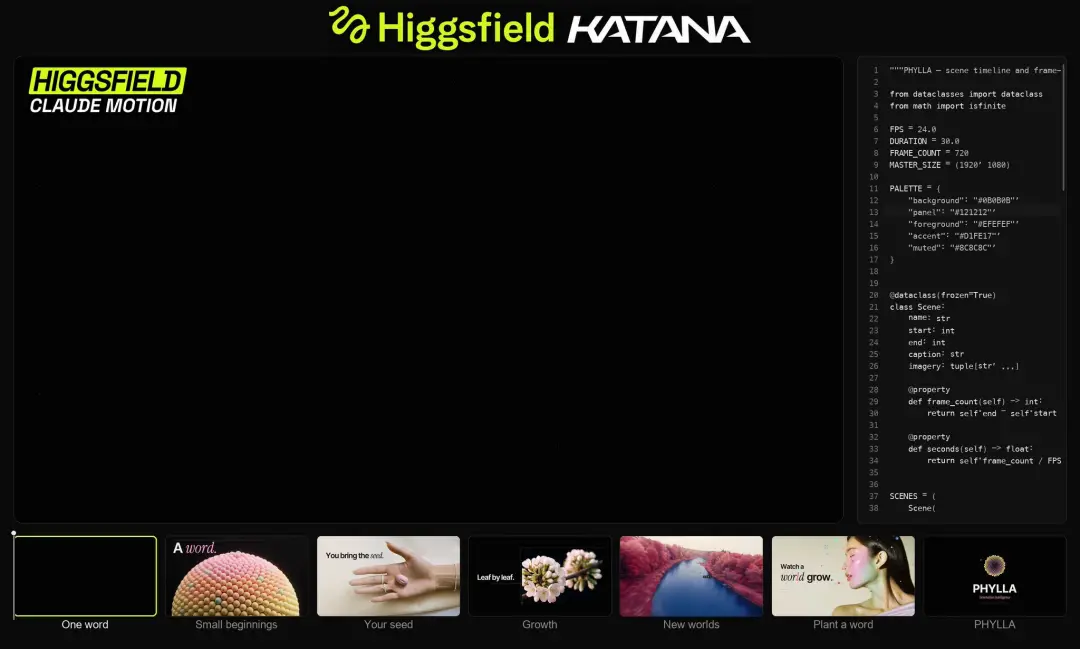
Create a clean 1920 × 1080 export and a separate 2560 × 1536 showcase export from the same timeline.

For the showcase, use this approximate layout:

Film viewport: x 32, y 132, width 1968, height 1107.

Code panel: x 2032, y 132, width 496, height 1107.

Storyboard strip: starts around y 1270.

Header: centered above the panels.

Use black surrounding space, subtle charcoal borders, and gently rounded corners.

Place the supplied lime Higgsfield logo beside the white italic KATANA wordmark in the header.
Inside the film viewport, add the separate upper-left badge:

HIGGSFIELD in black on lime.
CLAUDE MOTION in white on black.

Keep these elements removable for the clean-film version.
Display actual project code or meaningful scene data in the right panel. Use muted monospace text, line numbers, and restrained scrolling. Synchronize focus changes with the active chapter.

Build seven storyboard cards:
One word / Small beginnings / Your seed / Growth / New worlds / Plant a word / PHYLLA.

Use corresponding chapter imagery. Outline the active card in lime and add a thin playhead with a small handle. Synchronize the cards, code panel, and film to the same clock.

Inspect the reference audio before selecting cut accents. If a new soundtrack is needed, use warm electronic atmosphere, a restrained pulse, light percussion, and delicate granular or glass-like details.

Add tactile accents for the opening seed, subtle movement sounds for branching forms and panels, a lift through Growth and New worlds, and a spacious finish.

Keep narration only if supplied or requested. Do not automatically read the on-screen copy aloud.

Render a low-resolution preview first. Inspect complete playback and frames around every cut. Fix pacing, text collisions, unstable masks, incorrect layering, and accidental blank frames before final export.

Deliver:

PHYLLA_clean_1080p_24fps.mp4.
PHYLLA_Katana_showcase_2560x1536_24fps.mp4.
The editable project or source files.
An organized asset folder and font manifest.
<gotchas>
Do not mistake the outer Katana showcase frame for the film itself. Keep the film, branding, code panel, and storyboard strip as separate compositions.
Do not turn the botanical imagery into a generic slideshow. Each shot needs a deliberate composition and movement.
Do not animate photographic faces with aggressive warping. Preserve anatomy and use camera movement, lighting, or separate graphic layers instead.

Do not make all transitions morphs. The reference depends on decisive cuts, changes of scale, and graphic relationships.

Mixed serif and sans-serif words need optical alignment. Matching their numerical font size is not enough.

Dense point fields and fine botanical fibers can shimmer. Check them at final resolution and during movement.
Tiny technical labels must stay subordinate. Avoid large amounts of unreadable decoration.
Keep the rapid poems / recipes / answers sequence readable. Match its pace through clean cuts and contrast.
Prevent the showcase badge from colliding with scene typography. Maintain a consistent reserved corner.
Synchronize the active storyboard card with the actual chapter. Avoid a moving interface that does not correspond to the film.

Give “Watch a world grow.” and the final PHYLLA lockup enough time to register.

The result should remain editable after rendering. Keep source imagery, text, overlays, and sound available as separate elements.
</gotchas>

<start>
Inspect the reference and ask once for missing source assets.
Then present:
The seven-chapter timeline.

The palette and font pairing.

A cut-and-audio map.

Six style frames: opening seed, cell or bead composition, human interaction, scientific grid, flower-field reveal, and final PHYLLA lockup.
Build the editable sequence and a low-resolution preview. Review the complete film, correct the weak transitions and unreadable moments, then render both final versions.

The finished film should make the journey from one small word to an entire living world feel clear, tactile, and beautifully directed.
</start>
Details
- Model
- Claude Motion
- Type
- Video
- Iterations
- Not stated
- Posted
- Oct 9, 2026
Sources
- X@higgsfield_aihttps://x.com/higgsfield_ai/status/2108370085178138694Oct 9, 2026 · 234 likes