Skip to content
PromptMotion

Collection · Video

AI Video Prompts

AI video prompts behind real videos, collected from public posts and repositories. Watch each result and copy the exact prompt where the author shared it.

Topics6
Cases96
With prompt92

01Topic · Video · Opus 5.5

Claude Opus 5.5 Video Prompts

View all 24
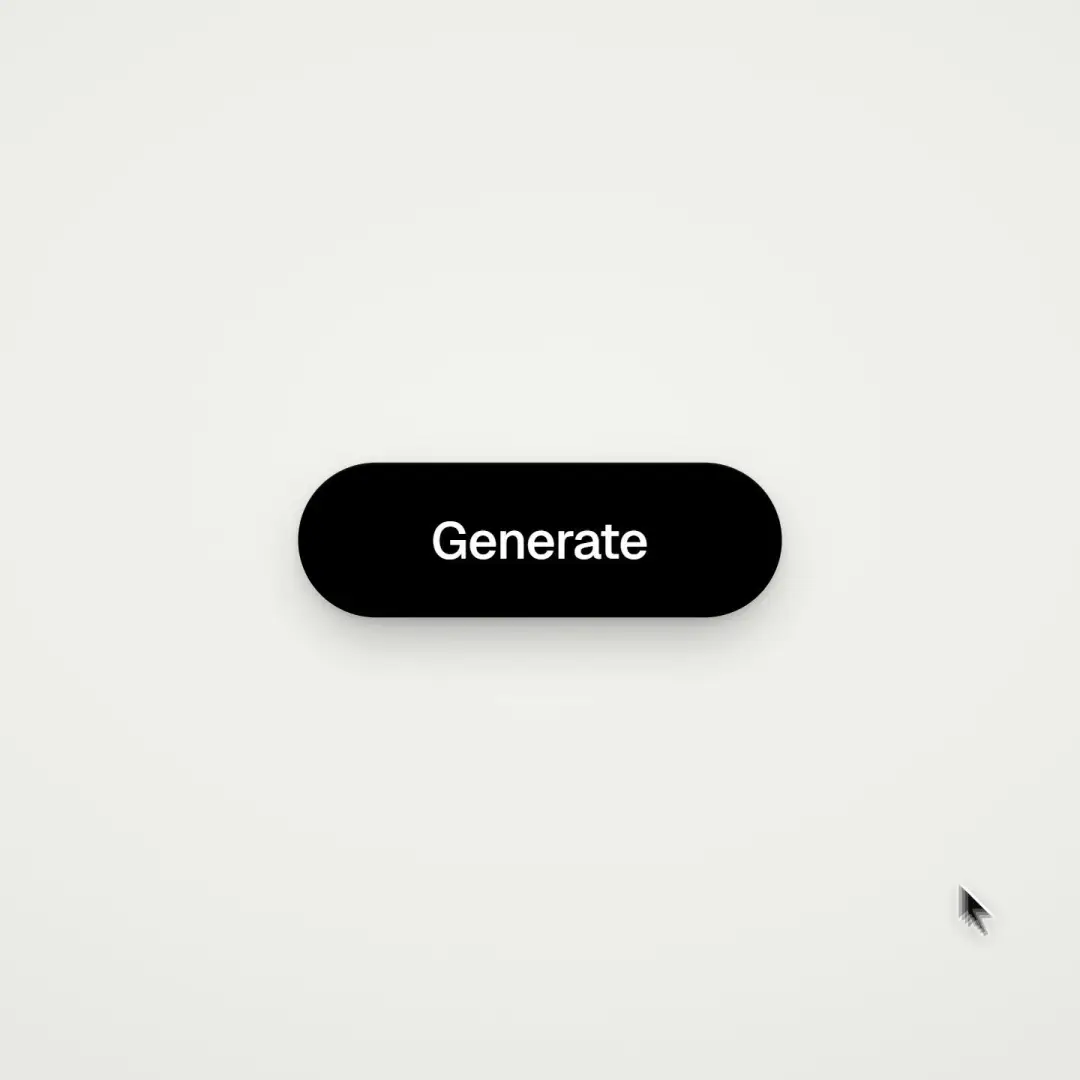
Still from UI-morph motion design, all codeVideo0:14Watch the original
Opus 5.5Prompt

UI-morph motion design, all code

@twoclipping · 12,277 likes

<inputs> Ask me for: 8 to 12 UI states I want the shape to become (e.g. button, loader, player, slider, toggle, tabs, chart, command palette, toast), pure black and white or one accent color, and a royalty-free song around 120 BPM (e.g. Mixkit, free for commercial use). </inputs> <direction> Dribbble-level UI motion. One shape, never cut: every state is the same element morphing its size, radius and color while its content swaps with a short blur. A cursor drives every change with real clicks and drags. Light warm-gray canvas, black and white components, one clean UI font (Geist). Springs everywhere, a tiny overshoot at most. The camera zooms so each state fills the frame. The last frame is the first frame, so it loops. Banned: bouncy easing, particle bursts, glows, gradients on UI chrome, mismatched icon strokes, dead time, anything that looks like a template. </direction> <structure> 120 BPM, 7 bars, something happens on every beat. Button → loader → check → dynamic island → music player with a play/pause morph → scrub the progress bar → it becomes a volume slider that stretches when dragged past max → a toggle flips on the beat → the knob becomes a liquid tab indicator → the tabs open into a chart that draws itself, with a tooltip on hover → it collapses into ⌘K → type to filter → enter → toast → back to the button. </structure> <build> 1. One HTML file, square 1440x1440. Every style is computed from time inside seek(t): no CSS transitions, no timers, no state carried between frames. 2. Springs are closed-form step responses. A value that changes target many times is the sum of one spring per change, so it stays a pure function of time. 3. The tab indicator's two edges ride different springs, so the leading edge stretches ahead of the trailing one. Same trick for the toggle knob. 4. Drags are direct manipulation: while the cursor is held, the value is computed from its position. On release it springs back from wherever it was. 5. Analyze the song with numpy for the beat grid and start on a downbeat. Place every UI sound by its measured peak. 6. Render with Playwright: 4 subframes per frame, blended with ffmpeg tmix for motion blur at 60fps. 7. Render one frame per beat before the full render. Fix anything off the grid, cramped or hard to read. </build> <gotchas> Never put will-change on anything the camera scales or the text renders blurry. Text that swaps inside a morphing container needs its own enter and exit timing or it overlaps. Make the last frame identical to the first, cursor position and speed included, or the loop stutters. </gotchas> <start> Ask me for the inputs, then show me the state list on the beat grid before you write any code. </start>

02Topic · Video · Fable 5.2

Claude Fable 5.2 Video Prompts

View all 37

03Topic · Video · Fable 5.5

Fable 5.5 Video Prompts (Tested on Claude Fable 5 and 5.1)

View all 12

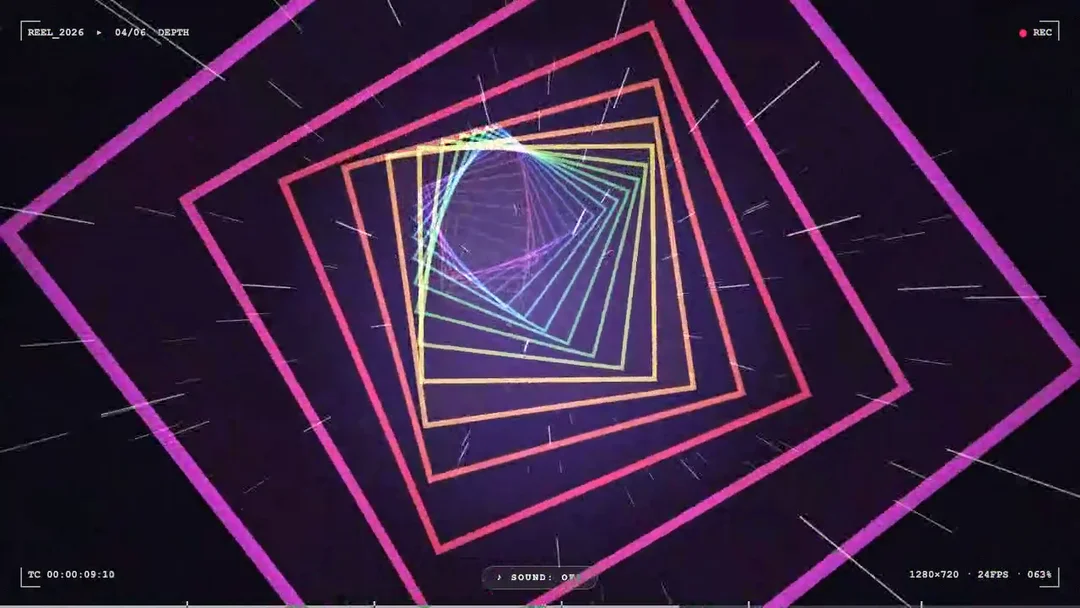
04Topic · Video · Claude Motion

Claude Motion Examples

View all 4
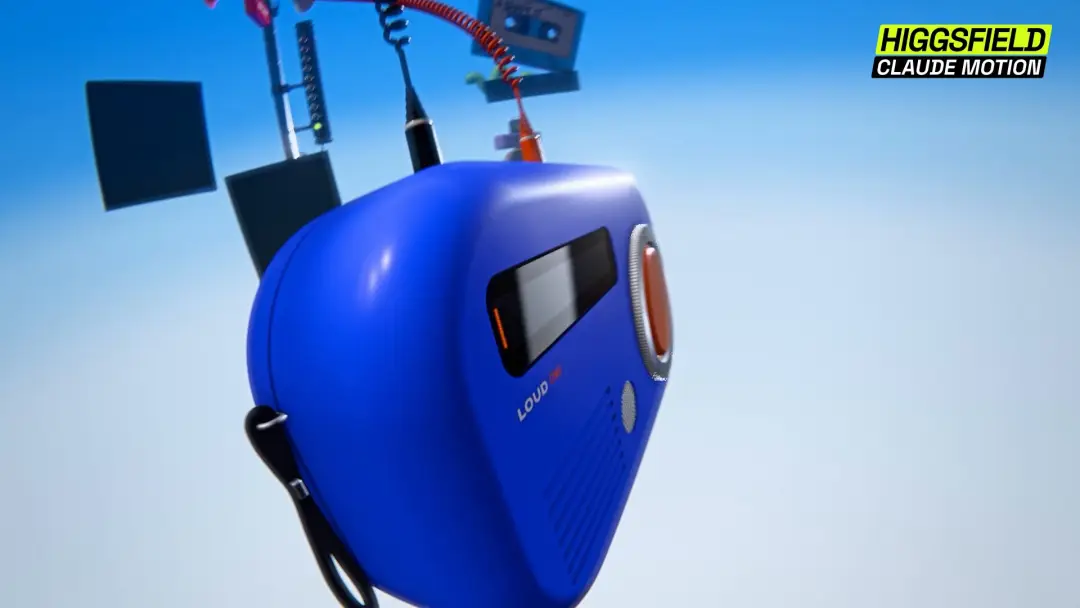
Still from LOUD ONE: a 24-second 3D product film in codeVideo0:24Watch the original
MotionPrompt

LOUD ONE: a 24-second 3D product film in code

@higgsfield_ai · 268 likes

<inputs> Defaults: product name LOUD ONE; 1920 × 1080; 30 fps; exactly 24 seconds and 720 frames; a cobalt-blue handheld music device with a large orange control, black LED display, speaker grille, silver hardware, and connected red and black cables. Keep the reference's on-device copy unless replacement copy is supplied. Treat the preorder message as artwork for this recreation; do not invent a working purchase link. </inputs> <direction> Create an energetic, glossy 3D product film with Higgsfield Katana and Claude Motion. The central idea is that a hummed idea travels through a playful world of musical hardware and becomes something ready to share. The journey is HUM → SHAPE → DROP, ending with LOUD ONE. Build a coherent floating installation in an open blue environment. The camera travels between physical objects suspended around a tall chrome mast: the hero device, speech-bubble display, horns, a recording light, meter, cassette, speaker stack, and LED letter panels. The background is a saturated sky-blue to pale blue-gray gradient. Keep it spacious and luminous. There is no room, floor, horizon line, editor panel, or storyboard strip. Use rounded industrial design, polished colored plastic, brushed and polished metal, dark rubber, and black perforated display surfaces. Objects should feel fabricated and dimensional even when their arrangement is playful. Approximate palette: cobalt #173BD5, sky blue #158CEC, pale blue-gray #DCEAF1, orange #F34A13, cream #E8E5DE, violet #7137C4, lime #A9D53C, amber #E5AD35, and near-black #10151C. Refine against the reference. Light the scene with large soft sources and sharp enough reflections to reveal the materials. Keep contact shadows between assembled parts. Preserve bright chrome highlights without losing detail in the white housing. Use wide-angle product cinematography: close passes, changing perspective, orbiting, foreground occlusion, tilts, and fast travel between stations. Slow down when a message needs to be read. Most typography belongs on physical objects. LED lettering should be made from a consistent dot grid. The main device types in white with an orange cursor; speech-bubble screens use warm-white dots, with orange emphasis; directional signs use amber. Maintain the small HIGGSFIELD / CLAUDE MOTION badge at the upper-right as a separate overlay. Keep it fixed while the camera moves. Avoid flat screenshots pretending to be 3D, unrelated montage inserts, excessive lens distortion, random glitch effects, or floating text detached from the objects. </direction> <structure> Use these approximate reconstruction beats. Refine transitions against the reference while preserving the full 24-second runtime. 0:00–0:02.6 / HUM INTO THE DEVICE Open close to the cobalt-blue hero device at an angle. Its rounded rectangular housing fills much of the image. Show the recessed black LED display, speaker slots, small circular metal grille, top cable connections, LOUD ONE label, and large orange circular control surrounded by a ridged silver ring. Type “hum me something...” across the display with an orange insertion cursor. Reveal the lettering as discrete LED states. As the camera approaches, change the screen to a recording treatment with a red REC indicator and an orange waveform. Move across the front toward the orange control. Let changing reflections reveal the blue casing and machined ring. Keep the device stable as a rigid object. 0:02.6–0:05.6 / EVERY HIT STARTS AS A HUM Pull away and travel toward a cream speech-bubble-shaped display mounted high on the chrome mast. The housing has a soft rectangular screen and a pointed lower-left tail. A thin antenna extends upward; a black cable and red coiled cable connect below. Begin with an empty black display, then reveal: “EVERY HIT STARTS AS A HUM.” Use warm-white pixel lettering, centered inside the physical screen. Arrive at a readable angle and hold the finished sentence briefly. Below the display, show a dark metal collar and several small colorful horn speakers. Keep the mechanical connections plausible. 0:05.6–0:08.2 / FOLLOW THE SOUND Move down and around the mast. Pass the horn cluster, chrome brackets, exposed connectors, and coiled wires. Reveal a glowing red “ON AIR” sign. Continue past a vertical meter containing circular lamps that rise through green, yellow, and red. Use changes in distance and perspective to connect the objects. Let the hero device remain visible farther away on its cables. Add a few suspended green and purple waveform-like squiggles, but keep them secondary. Use the mast, cables, and nearby objects to preserve spatial orientation through the fast camera travel. 0:08.2–0:10.6 / SHAPE IT Travel toward a large floating cassette. Show it turning from an oblique view into a readable frontal presentation. Build a dark blue-gray shell with a cream label, two visible reels, transparent windows, screws, seams, and an orange slider along the upper edge. Main label: “SHAPE IT.” Small selectable style labels: “LO-FI” “HOUSE” “FUNK” “DISCO” Move the orange control across the choices while the cassette shifts slightly in space. Give the reels subtle rotation. Preserve crisp readable text and realistic thickness at the casing edges. Use a passing edge or fast turn to carry the camera into the next station. 0:10.6–0:13.5 / DROP IT Find a narrow black LED sign above a floating audio stack. Animate amber directional arrows into: “DROP IT.” Travel down the stack. Include a small black speaker, a purple rectangular unit, a yellow drum-like speaker body, a cream speaker with an orange cone, and a broad cobalt unit at the bottom. Add a glossy red exclamation mark beneath the stack. Let the objects respond with controlled movement as the camera passes. Keep speaker cones circular and their movement axial. Make this section feel like the energy of the musical idea has increased. 0:13.5–0:16.4 / SPELL OUT LOUD Swing across a group of separate square black LED panels mounted along slender supports. Reveal the letters L, O, U, D in amber dots. Individual panels rotate or pass through different orientations as the camera moves. The letters should be legible at their key moments, with the full arrangement becoming understandable through the travel. Maintain the same world, lighting, and hardware language. Use a fast but readable camera arc to return toward the speech-bubble display. Let a few rounded orange and purple shapes pass in the foreground. 0:16.4–0:20.4 / IDEAS, OUT LOUD Return to the cream speech-bubble display. Briefly show a small waveform, then reveal: “IDEAS, OUT LOUD.” Keep IDEAS and OUT warm white. Make LOUD orange. Hold a readable three-quarter view while the installation moves subtly. Keep the horn cluster, collar, hanging cables, green squiggle, and distant DROP IT sign visible as secondary details. Near the end of this section, change the display to: “LOUD ONE” Use a fast pullback to reconnect the display with the wider installation. 0:20.4–0:24 / PRODUCT HERO Bring the cobalt device back into the foreground, suspended by its black and red cables. Settle it left of center at a flattering three-quarter angle. The large orange control, chrome ring, speaker slots, and rounded casing must remain recognizable. Place the four amber LED letter panels spelling LOUD to the right, arranged along their slender supports. Change the device display from “LOUD ONE” to “PRE-ORDER NOW.” End with a readable hero composition and subtle residual movement. Hold long enough to recognize the product and CTA. Do not force a loop or add an unrelated end card. </structure> <build> 1. Use an editable 3D scene and camera in the supported Katana/Claude Motion workflow. Three-dimensional objects must retain their shapes during camera travel. Use the available 3D renderer or supported scene pipeline rather than flattening the whole film into image cards. 2. Build a reusable asset library: hero device, orange dial, LED display surface, speech-bubble housing, mast, horns, ON AIR sign, meter, cassette and slider, speaker components, letter panels, cables, and decorative waveform shapes. 3. Keep geometry, materials, displayed text, lights, camera paths, animation, and branding individually editable. Centralize product name, messages, colors, and beat timings. 4. Place all stations in a shared scene. Plan the camera route before polishing detail. Use foreground objects and whip movements to bridge sections, keeping changes of direction physically understandable. 5. Use a master time function with 720 output frames at 30 fps. Seed randomness. Make each frame directly seekable and repeatable; avoid animation that depends on previous playback. 6. Construct cables with spline-based geometry. Keep endpoints attached to their ports. Give cable curves and suspended devices a small amount of secondary movement that settles after major camera or object actions. 7. Render LED text with proper display-space perspective and a stable dot grid. Use crisp message changes rather than morphing letters into unreadable intermediate glyphs. 8. Use motion blur for fast travel and passing objects, then restore clarity during text holds. Adjust focus for each subject rather than keeping the entire installation equally sharp. 9. Keep the top-right HIGGSFIELD / CLAUDE MOTION badge in screen space. It must not inherit scene blur, perspective, or exposure changes. Supply an unbranded export too if requested. 10. Inspect the supplied audio to place accents. If a new score is needed, propose a playful electronic groove that builds from a simple hummed motif into a fuller arrangement. This is a sound direction, not a claim about the source track. 11. Add focused sound details: a recording click, dial tick, relay or lamp activation, cassette movement, speaker pulse, and restrained pass-by sounds. Let the DROP IT moment receive a stronger musical accent. Keep the final product hold musically resolved. 12. Render a preview first. Check the whole camera route and every text hold before final-quality lighting and export. Deliver KATANA_Pack_1_LOUD_ONE_1080p_30fps.mp4, the editable project or source, organized assets, and separate audio stems where available. </build> <gotchas> The hero product is LOUD ONE. Do not substitute PHYLLA or the OBSCURA branding from other references. Keep the large orange dial on the same side of the device throughout. Maintain cable ports, screen placement, grille layout, and physical scale. LED text lives inside the screens and signs. It must not slide independently of their surfaces. Do not detach cable ends during the camera moves. Avoid cable intersections with the hero device and screen housing. The speech-bubble display needs readable front-facing moments. A beautiful extreme angle is not useful if the sentence cannot be read. Fast camera movement should connect destinations. Avoid random spins with no clear arrival. Keep the cassette and speaker stack distinct. Preserve the visible style-selection labels and the orange slider. Chrome reflections must support form. Avoid blown-out rings and shimmering highlights. The final product hold is part of the film. Do not spend all 24 seconds moving and leave the CTA for a single frame. No code sidebar, external editor frame, botanical imagery, or extra promotional statistics belong in this reference. </gotchas> <start> Inspect the reference and collect any missing original assets in one question. Show the asset list, camera route, timing map, and six stills: opening device, speech-bubble message, mast/ON AIR detail, cassette, speaker stack, and final hero. Build the editable blocking pass, review movement and readability, then finish materials, lighting, sound, and the final render. </start>

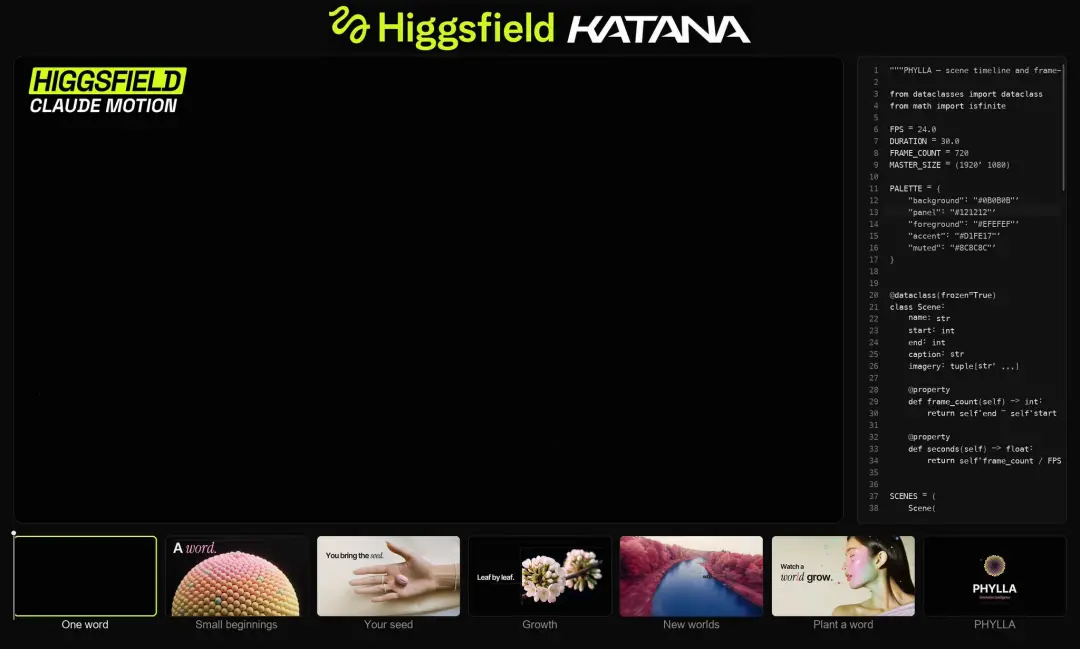
Still from PHYLLA launch film with no video generationVideo0:30Watch the original
MotionPrompt

PHYLLA launch film with no video generation

@higgsfield_ai · 234 likes

<inputs> Use the attached PHYLLA video as the primary reference. Inspect its compositions, typography, scene changes, motion, and audio before building. Ask me for any available original image assets, PHYLLA logo, brand fonts, Higgsfield/Katana branding, and soundtrack. Ask only for information that cannot be recovered from the reference. If I skip anything, use these defaults: Brand: PHYLLA. Product descriptor: “NEW LANGUAGE MODEL”. Ending tagline: “Generative intelligence”. Duration: 30 seconds. Frame rate: 24 fps. Main film: 1920 × 1080. Showcase version: 2560 × 1536. Typography: a bold grotesk sans serif paired with a high-contrast italic serif. Imagery: botanical macro photography, translucent biological forms, pastel sculptural objects, intimate human portraits, and procedural scientific graphics. Use original assets where available. Otherwise, create suitable still-image replacements that match the reference’s composition, materials, and palette. Keep photographic assets separate from procedural graphics in the project. </inputs> <direction> Create a complete launch film for PHYLLA using Higgsfield Katana and Claude Motion. The story: a word behaves like a seed. A person supplies it, intelligence responds, and an entire world grows from that small beginning. The visual language combines luxury beauty editorial, microscopic nature photography, and precise computational graphics. It should feel tactile, intimate, and carefully art-directed. Alternate between near-black and warm ivory backgrounds. Use soft pink, peach, pale mint, and muted green throughout. Reserve saturated blue, violet, and orange for brief contrast moments. Starting palette: Near-black: #080A09. Charcoal: #141615. Ivory: #F4EBDD. Warm white: #EFEFEF. Pink: #E8A5C7. Peach: #F0BC9F. Mint: #BCDCCE. Muted green: #779B83. Higgsfield lime: #D1FF17. Keep lime mostly in branding, selection outlines, and small interface accents. Use extreme changes in scale: a tiny seed surrounded by black, a frame-filling cell, a close-up of an eye, then an endless field of flowers. Connect these images through repeated circles, spirals, branching structures, and clusters. Materials matter. Show moist soil, fine plant fibers, translucent membranes, matte seed shells, natural skin, and softly shaded spheres. Preserve texture. Avoid making everything glossy. Use bold sans serif for the main sentence and italic serif for the emotional or organic word: “Everything alive starts small.” “A seed.” “A cell.” “A word.” “You bring the seed.” “It grows toward you.” “Word by word.” “Plant a word.” “Watch a world grow.” Emphasize small, seed, cell, word, you, and world with the italic face where shown in the reference. Use pink italic against black and dark lettering against ivory. Keep mixed-font baselines and spacing clean. Type should feel designed as part of the composition. Pacing: begin quietly, build into a quick growth montage, open into larger worlds, then finish with a calm human moment and a clear brand reveal. Use hard cuts, match cuts, panel expansion, short masked reveals, and controlled camera movement. Do not force the film into a continuous morph. Avoid generic glitch effects, constant zooming, excessive bloom, elastic text, random interface decoration, and identical movement on every image. </direction> <structure> Build seven chapters on one 720-frame timeline. The timings below are reconstruction targets; refine individual cuts against the reference while keeping the chapter boundaries. ONE WORD / 0:00–0:04 / frames 0–95 Begin on near-black. Place a small macro photograph of a pale peach seed in dark soil below and left of center. Give it a thin bounding box, tiny corner handles, a faint elliptical guide, and a small coordinate-style label. Place “One word.” to its right in bold warm-white text. Leave substantial negative space. Move toward the seed until its shell, opening, and surrounding soil become prominent. Briefly pair the natural image with a pink point-based reconstruction of the same subject. During the second half of the chapter, cut through delicate roots, a curled fern, and a pale flowering branch against black. Show: “Everything alive starts small.” Make small pink and italic. Keep the sentence readable while the imagery changes. Use the recurring branching shapes to connect the cuts. SMALL BEGINNINGS / 0:04–0:08 / frames 96–191 0:04–approximately 0:04.8: Cut to ivory. Show a smooth pink-and-peach seed object resting on a softly lit surface. Its two shell-like halves separate slightly to reveal the interior. Use a soft contact shadow and restrained camera movement. Place “A seed.” large toward the upper-left. Approximately 0:04.8–0:05.8: Show a translucent green cell containing soft green clusters and small orange inclusions. Begin with one large cell, then divide the composition into four cells in a precise 2 × 2 arrangement. Change the text to “A cell.” Add a faint crosshair and a small pink dot diagram. Approximately 0:05.8–0:06.8: Cut to black. Reveal a large curved hemisphere made from hundreds of closely packed pastel spheres. Use pink near the top, peach and cream below, and occasional mint accents. Show enough light and shadow to reveal the individual beads and the curvature of the whole form. Place “A word.” toward the upper-left. Use a slight orbit or push to reveal depth. Approximately 0:06.8–0:08: Create three quick cuts: Pink and violet ink-like forms with “poems.” A purple fig cross-section with “recipes.” A translucent jellyfish in dark water with “answers.” Use large italic serif text, centered over each image. Keep the words readable despite the quick rhythm. YOUR SEED / 0:08–0:12 / frames 192–287 Begin on black with a flowering branch. Build an editorial specimen board around it. Add panels showing: The natural flowering branch. A pink dotted reconstruction. An orange radial cell diagram. Repeating pink rounded forms. A pale sculptural flower cluster. Blue water bordered by pink vegetation. Use consistent gutters and thin borders. Introduce the panels progressively, with controlled movement and a clear hierarchy. Around 0:09.75, cut to an open hand against a warm neutral background. Place the small pink seed object in the palm. Preserve natural skin texture, jewelry, and soft lighting. Let the seed open enough to reveal its warm center. Show “You bring the seed.” near the upper-left, with seed in italic. Add a small lime input-style label below. Move to a woman’s side profile on a pale background with soft colored light. Then cut to a dark-background profile, with a fine pink-and-mint branching form extending from her mouth into the empty space. The branching form represents a spoken idea. Keep it delicate and organic. Preserve the face and expression. GROWTH / 0:12–0:20 / frames 288–479 Increase the pace. Approximately 0:12–0:13.75: A pale green tendril curls around a fingertip against black. An extreme eye close-up shows natural skin and tiny petal-like flecks. An orange pollen-bearing structure releases fine particles. Keep “It grows toward you.” near the lower-left, with you in pink italic. Approximately 0:13.75–0:15.75: Pink-and-mint mushrooms on dark moss. A four-lobed particle form on ivory. A fuzzy curled fern against black. Rows of pastel spheres extending into depth. Give these images different movements. A slow reveal, a restrained rotation, a lateral move, and a deeper push should feel distinct. Approximately 0:15.75–0:17.75: Return to a black specimen-board layout. Show a mint-and-pink dotted root structure beside “Leaf by leaf.” Expand the layout with a flowering branch, cells, and an orange radial diagram. Change the line to “Word by word.” Make the second word pink and italic. Build from a simple pair of panels into a richer grid. Approximately 0:17.75–0:20: Accelerate through thermal-color botanical or cellular imagery, a pollen burst, and an extreme iris close-up. Move into the dark pupil. Let the frame become almost black, with a tiny colored point remaining. Use this brief pause to prepare the next change in scale. Match shapes across cuts where useful: cell to bead, bead to iris, iris to flower center. Preserve the distinctive material of each subject. NEW WORLDS / 0:20–0:24 / frames 480–575 Reveal an expansive field of pink and peach flowers on pale ground. Use ordered repetition, a low camera, soft depth of field, and forward movement. The field should feel much larger than the microscopic world that came before it. As the scene opens, assemble large black letters into “PHYLLA.” Begin with slightly offset letters, then resolve them into a strong, stable wordmark across the lower-middle of the frame. Place a small dark label beneath: “NEW LANGUAGE MODEL” Keep the text sharp while the flower field moves behind it. Follow with quick cuts through: A blue river between dense pink trees. A path beneath a flowering canopy. An ivory branching sculpture covered in pink and peach blossoms. A golden flower center with a clear spiral pattern. Connect these worlds through palette, branching forms, and radial geometry. PLANT A WORD / 0:24–0:28 / frames 576–671 Return to black with a large pink dandelion-like seed head. Show fine fibers, layered structure, and a little mint detail at the center. Place “Plant a word.” beside it, with word in pink italic. Push toward the interior. Let the stems create depth without turning the image into an unreadable blur. Around 0:25.4, cut to a woman’s side profile on ivory. Her eyes are closed. Use soft pink, green, and gold light across her skin, with a small number of floating colored particles. Place her on the right. Set the final sentence on the left: “Watch a world grow.” Use italic serif for world and bold sans serif for grow. Reveal the phrase cleanly, then hold it. This should feel quieter and more personal than the growth montage. PHYLLA / 0:28–0:30 / frames 672–719 Cut to black. Center a small radial emblem made from pastel spheres, arranged like a flower head or phyllotactic pattern. Use pink, peach, yellow, and mint. Add subtle rotation or a slight dimensional change. Place bold white “PHYLLA” beneath it. Add a smaller pink italic tagline: “Generative intelligence” Surround the emblem with very faint concentric arcs. Let the motion settle and hold the complete lockup through the ending. </structure> <build> 1. Build the film as an editable, code-driven composition using the supported Katana and Claude Motion workflow. Keep every scene, image, text group, mask, graphic, and audio layer separately adjustable. Use one deterministic timeline. Derive animation from the current frame or time. Seed procedural randomness so particles, point fields, and layouts remain identical between preview and final render. Organize the seven chapters as independent scene modules with explicit start and end frames. Allow direct seeking and individual scene renders. Use still-image plates for photographic material. Create movement with controlled reframing, depth separation, masks, and restrained displacement. Preserve faces, fingers, plant structures, and object proportions. Build procedural elements where appropriate: sphere arrays, radial bead formations, dot reconstructions, branching lines, grids, crosshairs, arcs, and measurement guides. For this reconstruction, create the motion and montage within the editable composition. Do not use a video-generation model to produce the finished sequence. Record photographic asset sources separately from procedural elements. Build typography as editable text. Keep the sans serif and italic serif segments in aligned groups, with consistent baseline behavior and optical spacing. Use motion blur selectively on fast camera movement and graphic transitions. Preserve readable text and sharp held frames. Do not blur every layer equally. Add scientific overlays sparingly: Hairline crosshairs. Dotted guides. Sparse ruler ticks. Small corner handles. Partial concentric circles. Compact monospace labels. Anchor overlays to the subject or composition. Their purpose is to suggest observation and construction. Create a clean 1920 × 1080 export and a separate 2560 × 1536 showcase export from the same timeline. For the showcase, use this approximate layout: Film viewport: x 32, y 132, width 1968, height 1107. Code panel: x 2032, y 132, width 496, height 1107. Storyboard strip: starts around y 1270. Header: centered above the panels. Use black surrounding space, subtle charcoal borders, and gently rounded corners. Place the supplied lime Higgsfield logo beside the white italic KATANA wordmark in the header. Inside the film viewport, add the separate upper-left badge: HIGGSFIELD in black on lime. CLAUDE MOTION in white on black. Keep these elements removable for the clean-film version. Display actual project code or meaningful scene data in the right panel. Use muted monospace text, line numbers, and restrained scrolling. Synchronize focus changes with the active chapter. Build seven storyboard cards: One word / Small beginnings / Your seed / Growth / New worlds / Plant a word / PHYLLA. Use corresponding chapter imagery. Outline the active card in lime and add a thin playhead with a small handle. Synchronize the cards, code panel, and film to the same clock. Inspect the reference audio before selecting cut accents. If a new soundtrack is needed, use warm electronic atmosphere, a restrained pulse, light percussion, and delicate granular or glass-like details. Add tactile accents for the opening seed, subtle movement sounds for branching forms and panels, a lift through Growth and New worlds, and a spacious finish. Keep narration only if supplied or requested. Do not automatically read the on-screen copy aloud. Render a low-resolution preview first. Inspect complete playback and frames around every cut. Fix pacing, text collisions, unstable masks, incorrect layering, and accidental blank frames before final export. Deliver: PHYLLA_clean_1080p_24fps.mp4. PHYLLA_Katana_showcase_2560x1536_24fps.mp4. The editable project or source files. An organized asset folder and font manifest. <gotchas> Do not mistake the outer Katana showcase frame for the film itself. Keep the film, branding, code panel, and storyboard strip as separate compositions. Do not turn the botanical imagery into a generic slideshow. Each shot needs a deliberate composition and movement. Do not animate photographic faces with aggressive warping. Preserve anatomy and use camera movement, lighting, or separate graphic layers instead. Do not make all transitions morphs. The reference depends on decisive cuts, changes of scale, and graphic relationships. Mixed serif and sans-serif words need optical alignment. Matching their numerical font size is not enough. Dense point fields and fine botanical fibers can shimmer. Check them at final resolution and during movement. Tiny technical labels must stay subordinate. Avoid large amounts of unreadable decoration. Keep the rapid poems / recipes / answers sequence readable. Match its pace through clean cuts and contrast. Prevent the showcase badge from colliding with scene typography. Maintain a consistent reserved corner. Synchronize the active storyboard card with the actual chapter. Avoid a moving interface that does not correspond to the film. Give “Watch a world grow.” and the final PHYLLA lockup enough time to register. The result should remain editable after rendering. Keep source imagery, text, overlays, and sound available as separate elements. </gotchas> <start> Inspect the reference and ask once for missing source assets. Then present: The seven-chapter timeline. The palette and font pairing. A cut-and-audio map. Six style frames: opening seed, cell or bead composition, human interaction, scientific grid, flower-field reveal, and final PHYLLA lockup. Build the editable sequence and a low-resolution preview. Review the complete film, correct the weak transitions and unreadable moments, then render both final versions. The finished film should make the journey from one small word to an entire living world feel clear, tactile, and beautifully directed. </start>
05Topic · Video · MiniMax H3

MiniMax H3 Video Examples

View all 7
MiniMax H3X post · plays on click
Video0:15Watch the original
MiniMax H3Prompt

A reference-led character detail montage

@aimikoda · 3,286 likes

Use @[character reference] for the character's identity, anatomy, costume, colors, materials and visual style. Adapt body-region cues to its actual anatomy, replacing absent features with existing equivalents. Invent no anatomy or accessories. Select signature inserts from its most recognizable details. Rigid parts rotate; flexible materials bend or stretch. A 15-second character-detail montage: exactly 20 shots joined by hard cuts. An empty, seamless warm-white studio background; soft directional light reveals the surfaces. Shots 1-19 are tightly cropped body details and rear angles: keep the face, eyes and facial profile entirely outside the frame, including reflections. Shot 20 is the first and only face reveal. No full-body view. Three connected bursts: a sharp head turn with the body bracing; a coiled arm opening into a strong sweep and torso twist; one short step into a planted pivot, finishing with a sudden look into camera. Carry body state across cuts without resetting to neutral. Existing hair, clothing and attachments react naturally. Keep the character active, with clear articulation and weight shifts. Jump between distant body regions. Mix brief visual punches with longer moving-detail reads. Use one abrupt camera move per shot except locked-camera inserts 4 and 11, where the character supplies the speed. Vary height, angle and direction. Brake moves briefly for legibility while the subject keeps moving. Local whips stay tightly cropped; changes of body region use hard cuts. Connect selected cuts through similar shapes or motion vectors, without morphing. Real-time action, no slow motion or freeze frames. 0-3s, shots 1-5. A concealed head turn triggers the first burst: 1. Extreme upper-back detail: a crash push catches its surface shifting as a sharp head turn begins entirely above the crop. 2. Fingers: a short downward snap catches them curling into a fist as the body braces. 3. Rear three-quarter shoulder detail: a tight camera arc catches the shoulder drawing back behind the turning head. 4. Locked floor-level foot detail: the grounded support foot braces, its raised heel pressing down firmly without taking a step. 5. Rear neck detail: a short upward tilt catches the nape stretching with the turn; stop below the back of the head, keeping the jaw and face excluded. 3-9s, shots 6-13. The coiled arm opens into a forceful sweep: 6. A signature upper-body detail: a fast diagonal slide catches an existing seam, joint or distinctive contour responding as the arm draws inward. 7. Elbow: a sharp lateral track catches the folding joint tightening the arm's coil. 8. Supporting knee: hard match cut from the bent elbow to the knee's similar angle; a short camera drop catches the leg compressing under the same preparation. 9. Wrist: a quick shallow orbit catches it turning outward to initiate the release. 10. Upper chest: a short punch-in catches the chest opening as the arm drives outward beyond the crop. Let this moving surface read slightly longer. 11. Locked hand detail: fingers spring open and the hand sweeps rapidly across the fixed frame. Catch one crisp, readable phase of the spread fingers before they leave the crop. 12. Upper back: a sharp sideways slide continues that screen direction as the shoulder rolls through the sweep and the torso twists. 13. A distinctive torso or waist detail: a close diagonal move catches its physical response to the twist, such as an existing fold pulling taut or an attached piece swinging. Give the material response a clear moving read. 9-13s, shots 14-19. One short step and a pivot build toward the reveal: 14. Thigh of the other leg: an abrupt low tracking move catches it driving the single short step out of the twist. 15. Advancing foot: a brief downward whip catches it landing; show clear floor contact. 16. Ankle and lower-leg detail: a fast side slide catches the landed leg accepting weight as the ankle flexes. 17. Waist: a tight orbit catches the torso rotating above the planted-foot pivot. The foot supports the turn rather than sliding across the floor. 18. Back-of-head contour: a short lateral whip catches the start of the return turn from behind. Keep only the rear contour in frame, never the facial profile. 19. A signature shoulder detail: a sharp diagonal slide catches its follow-through beneath the turning head, which stays completely above the crop. Cut at the peak of this movement. 13-15s, shot 20. First face reveal: 20. Hard cut to a frontal face close-up as the character sharply completes the turn toward the lens. An explosive short push reveals the entire face clearly for the first time and stops tightening before cropping out its features. Direct eye contact lands while hair, clothing or natural body follow-through remains alive. Keep the whole face readable through the end; finish on living motion, without a held pose or another cut. No added props, scenery, text, graphic overlays or split screens.

MiniMax H3X post · plays on click
Video0:15Watch the original
MiniMax H3Prompt

Reaper: a game equipment interface prototype

@ShamsAmin56 · 113 likes

Prompt - Claude Interactive Game Equipment UI (15s) Use Image 1 as a STRICT CHARACTER REFERENCE. Preserve the character exactly: oversized yellow hooded jacket, glossy black faceless helmet, black armored tactical torso, tattooed left arm, glossy red tactical cargo pants with hanging straps and pouches, black combat boots, and the massive crimson-black biomechanical right arm with organic tendrils and clawed fingers. Do not alter colors, proportions, outfit, or mechanical design. 0–2 Seconds High-angle overhead cinematic shot. The character sits on a vivid, highly saturated purple floor with one knee raised and the enormous crimson biomechanical arm resting beside him. He slowly tilts his head upward toward the camera. A premium AAA futuristic game interface fades in. Top left: Player Profile REAPER Level 42 Right side menu: START NEW GAME CONTINUE (highlighted) LOADOUT SETTINGS EXIT GAME A sleek white cursor smoothly clicks CONTINUE. 2–4 Seconds Camera pushes in toward the biomechanical right arm. A translucent RIGHT ARM EQUIPMENT panel slides in. Equipment list: PHANTOM GRIP ABYSS CLAW HELLFORGE TALON CRIMSON REAVER The selector moves to ABYSS CLAW. The right arm begins transforming. Red-black armor plates separate. Organic crimson tendrils weave together. Mechanical pistons rotate. Claw fingers extend into longer razor blades. Internal red energy pulses through exposed cables. Small particles and sparks emit as the transformation locks into place. 4–7 Seconds Camera smoothly arcs around the character's right side. A large ARMAMENT CUSTOMIZATION interface appears. Component grid: Shoulder Upper Arm Elbow Forearm Wrist Claw System Core Reactor Tendril Matrix Selections cycle rapidly. The biomechanical arm partially disassembles. Armor segments detach. Internal skeletal frame becomes visible. Hydraulic pistons rotate. Mechanical tendrils retract and regrow. New crimson armor slides into place. Claw geometry reshapes into a more aggressive configuration before locking with a satisfying mechanical snap. 7–8.5 Seconds Camera pulls back to a medium shot. A large glowing CONFIRM CONFIGURATION button appears. Cursor clicks. Every interface panel folds inward using holographic animations and disappears. The character rises from the seated position. He slowly flexes the upgraded biomechanical arm. The massive claws open and close once. Crimson energy briefly surges through the entire limb. 8.5–10 Seconds A cinematic LOADING bar appears across the bottom. Progress accelerates from 0% → 100%. The purple environment gradually fades into darkness. Golden light leaks through the scene. Subtle volumetric fog forms. Ambient audio transitions from UI sounds to a living city. 10–15 Seconds The world fully loads. The character now stands inside a dense cyberpunk megacity. Rain-soaked streets. Neon holographic advertisements. Steam rising from vents. Moving crowds. Hover drones patrol overhead. Motorcycles race past. Towering futuristic skyscrapers loom in the distance. Camera settles into a polished third-person gameplay perspective behind the character. HUD fades in: Minimap (top right) Health & Energy (bottom left) Ability Icons Weapon Indicator Objective Marker The character activates the crimson biomechanical arm, flexes the claws once, then confidently walks into the neon-lit street as the mission begins. Style: AAA Unreal Engine 5 cinematic, photorealistic PBR materials, production-quality game UI, premium sci-fi HUD, seamless mechanical transformation, cinematic camera motion, ray-traced lighting, volumetric fog, rain reflections, 4K, 60fps, no glitches, no UI clipping, no extra limbs, perfect character consistency, movie-grade color grading.

MiniMax H3X post · plays on click
Video0:15Watch the original
MiniMax H3Prompt

A reference-driven retro urban anime opening

@PixVerse · 73 likes

Here’s the prompt we used: subject_definitions: Character-feature reference: <image 1>:Character appearance reference <image2>: Environmental visual-style reference. Generate a 15-second, 16:9 landscape Japanese anime opening sequence. Use the visual language of a modern Japanese anime opening with a retro printed urban atmosphere. Combine 2D hand-drawn animation, cel shading, dynamic key animation, and graphic-design aesthetics. Preserve a tactile paper-grain surface, halftone dots, and retro manga print-registration misalignment caused by layered color printing. This should not be a character showcase PV. It should be a strongly rhythmic character montage. Center the sequence around one cool, retro urban girl, maintaining the exact same face throughout the entire video: jet-black bobbed hair with straight bangs and sharply layered ends, cool dark almond-shaped eyes, matte red lips, a signature beauty mark beneath the lower lip, a black tank top with heart-shaped patches, layered beaded necklaces, and a padlock pendant. Keep her facial structure and overall presence consistent in every shot. Use a three-color visual system dominated by black, lake blue, and scarlet red, with milk-white accents. Build her personality through large areas of solid color, abstract urban silhouettes, geometric color blocks, shadows, manga-style compositions, and graphic visual symbols. Use the rapid editing language commonly found in Japanese anime openings, including extreme close-ups of the eyes, red lips, padlock pendant, fingertips, and hair ends; tilted compositions; low-angle perspectives; sudden push-ins; frame slicing; and dynamic visual recombination. The editing rhythm may be freely arranged by the model according to the electronic beat. Add halftone patterns, ink lines, drifting heart-shaped stickers, halos and light spots, film grain, color-registration offsets, floating flat graphic text, and geometric symbols as part of the visual language. Emphasize a cool, distant, retro-urban loneliness with a mysterious, alluring quality, combined with a touch of City-pop nostalgia and a sense of fate. The result should feel like the official opening sequence of a Japanese television anime, not a game promotional CG trailer. Avoid complex fantasy environments, realistic locations, battle demonstrations, 3D rendering, and any drift in the character’s facial features.

06Topic · Video · Seedance 2.5

Seedance 2.5 Video Examples

View all 12
Still from Seoul Summer Night VlogVideo0:30Watch the original
Seedance 2.5Prompt

Seoul Summer Night Vlog

@AIwithkhan · 6,201 likes

Create a 30-second, 1080p ultra-realistic personal home-video showing an ordinary summer evening in the life of a young Korean woman. No reference image. MAIN SUBJECT Young Korean woman in her early 20s, naturally pretty, realistic skin texture, minimal makeup, relaxed and approachable personality. Long black hair loosely tied into a messy side ponytail with a few loose strands around her face. Wearing a fitted pastel-blue short top, loose cream pajama-style pants, black sneakers and a simple silver necklace. Maintain the same face, hairstyle, clothing, body proportions and overall appearance throughout the entire video. SETTING A quiet older Seoul residential neighborhood during a warm summer evening. Narrow concrete lanes, small houses, potted plants, bicycles, old walls, utility poles, overhead wires, a tiny neighborhood bakery, a public water tap and large leafy trees casting shadows across the street. Everything should feel lived-in, ordinary and peaceful. CAMERA / VISUAL AESTHETIC Raw personal footage casually recorded by a friend on an early-2000s consumer DV camcorder. Strong handheld shake, imperfect framing, autofocus hunting, exposure shifts, occasional motion blur, faded colors, soft digital detail, mild noise, accidental zooms and natural camera imperfections. — OUTSIDE THE HOUSE She steps outside carrying a small reusable shopping bag. She locks the door, adjusts her messy ponytail and looks toward the camera with a relaxed smile. — BAKERY STOP She reaches a tiny neighborhood bakery and buys a warm pastry. She steps outside, takes her first bite and immediately smiles because it tastes good. She notices her friend filming and holds the pastry toward the camera playfully before taking another bite. — WALKING HOME She continues down the narrow street while eating. A neighborhood cat follows her for a few steps. She notices it, crouches down and gently pets it. — SMALL ACCIDENT She walks beneath a large tree when a few leaves fall onto her hair. She stops, looks confused, then realizes what happened and laughs. — QUIET MOMENT She reaches a low concrete wall beside the street and sits down for a moment. — FINAL MOMENT She stands up and continues walking home.

Still from Frozen Time and Rewind in a 1950s DinerVideo0:30Watch the original
Seedance 2.5Prompt

Frozen Time and Rewind in a 1950s Diner

@techhalla · 2,879 likes

Photorealistic cinematic 1950s American diner, chrome stools, red vinyl, neon glow and checkerboard floor, shot with modern lived-in realism and soft natural window light. Subtle handheld texture, warm practicals, rich period detail, heavy film grain. 0-4s: [Medium Wide] A striking young woman in her early 20s sits alone at the counter, calm and slightly amused, slowly sipping a tall thick milkshake through a straw. Behind her a young waitress in classic uniform approaches with a tray of eggs and bacon in one hand and a full glass coffee pot in the other. An older lady starts rising from a nearby booth. 4-8s: [Dynamic Tracking] The older lady collides hard into the waitress. Tray, plate, eggs, bacon and coffee pot explode upward in chaotic slow motion. Coffee erupts into long liquid ribbons and perfect suspended droplets. Camera immediately begins a smooth continuous orbit around the impact. Time locks completely at the peak of the spill. Every face freezes in pure shock. Only the girl at the counter keeps moving, completely unfazed. 8-17s: [Slow 360° Orbital] Camera glides in a full elegant orbit through the frozen diner. Coffee hangs in mid-air as glassy ribbons and spheres with perfect volume and surface tension. Bacon strips, eggs and the spinning tray float weightlessly. Patrons and waitress remain locked in startled expressions. The girl at the counter takes one slow, deliberate sip, eyes half-lidded, almost bored, while the entire frozen world (except her) begins an elegant reverse: every droplet, every piece of food and every person rewinds smoothly back to the exact starting positions. 17-24s: [Medium Shot] Rewind lands perfectly. Waitress stands balanced again with tray and coffee pot. The girl lifts her eyes, raises two fingers in a small casual gesture and softly calls the waitress by name. The waitress turns toward her just before the older lady begins to stand, completely avoiding the collision. A tiny private smile crosses the girl’s face. 24-30s: [Extreme Close-Up] Hard cut to her face as she takes one last slow sip. Soft knowing smile, eyes almost closed in quiet satisfaction, like she has done this a hundred times. Shallow depth of field, creamy bokeh of the neon diner behind her. Photorealistic, ultra-detailed fluid physics, perfect motion blur only on moving elements, stable characters, cinematic lighting, heavy natural film grain, no artifacts, movie-level temporal coherence, high rewatch value.

Still from Mini DV Coffee ASMR VlogVideo0:30Watch the original
Seedance 2.5Prompt

Mini DV Coffee ASMR Vlog

@Strength04_X · 835 likes

CAMERA / LOOK: Handheld mini DV camcorder footage filmed by the subject herself. Slight hand shake, occasional focus hunting, imperfect framing, natural zoom adjustments, soft tape-like image quality, subtle grain, realistic auto-exposure shifts from bright kitchen morning light. Natural skin tones, mild motion blur, authentic consumer camcorder aesthetic. STYLE: Cozy coffee-prep vlog with gentle ASMR elements. Relaxed pacing, minimal dialogue, candid moments. Focus on satisfying sounds: bean grinder whirring, portafilter tamping, steam wand hissing, cup clinking, milk frothing. SUBJECT: Young man in his mid-20s, plain t-shirt, hair slightly tousled, minimal accessories. Calm, focused energy while making his morning coffee. SETTING: Small kitchen counter with an espresso machine on a bright morning. Natural daylight, coffee beans and a mug nearby, quiet atmosphere. STORYBOARD: → (3s, propped medium shot) Places camera on the counter, switches on the machine. "Morning coffee, the proper way." → (3s, overhead shot) Grinds fresh coffee beans, fine grounds falling into the portafilter. → (3s, close-up) Tamps the grounds down firmly and evenly. → (3s, handheld shot) Locks the portafilter into the machine. "Here we go." → (3s, detail shot) Espresso streams slowly into a small cup. No dialogue. → (3s, medium shot) Pours cold milk into a small steel pitcher. "Time for the milk." → (3s, macro shot) Steam wand hissing as it froths the milk. → (3s, propped shot) Pours frothed milk carefully over the espresso, forming light layers. → (3s, warm ending shot) Holds the finished cup, takes a small sip, satisfied smile. "That's exactly what I needed." → (3s, final shot) Reaches toward camera, still holding the cup. "See you later." Hand covers lens as recording ends. AUDIO NOTES: Natural kitchen ambience — grinder whirring, tamping, steam hissing, milk pouring should be clearly audible. Dialogue quiet and casual. REALISM NOTES: Authentic body language, natural blinking, genuine focused smiles, occasional careful pauses while pouring, imperfect framing, focus breathing, bright morning light shifts. Should resemble a genuine personal coffee vlog on a consumer camcorder, not a commercial or AI-generated production.

Still from Two-Idol K-pop MV, Shot by ShotVideo0:30Watch the original
Seedance 2.5Prompt

Two-Idol K-pop MV, Shot by Shot

@Just_sharon7 · 551 likes

30-second ultra-realistic K-pop MV featuring two young East Asian women with flawless synchronization, cinematic lighting, glossy skin, realistic hair and fabric physics, natural body motion, and 4K live-action quality. Vibrant hot pink, electric blue, and silver color palette. 0–2s: Wide shot in a bright circular pink studio with reflective floor. Pink-haired woman (left) and black-haired woman (right) perform energetic opening pose and synchronized dance. 2–4s: Medium close-up of the black-haired woman on a blue spotlight stage, confidently pointing at the camera. 4–6s: Pink-haired woman dances before shimmering blue-silver tinsel curtains, dramatic hair flip and fluid arm movements. 6–8s: Back to the pink studio. Both perform synchronized choreography with sharp arm waves, hip sways, and strong formations. 8–10s: Extreme close-up of both faces against a blue background, glossy makeup, subtle smiles, and direct eye contact. 10–14s: Solo shots at the tinsel backdrop. Pink-haired woman mouths lyrics and gestures confidently, followed by the black-haired woman with relaxed jacket styling. 14–18s: Pink studio. Coordinated jacket choreography, hair flips, powerful synchronized dance, ending hands-on-hips. 18–22s: Glamour close-ups. Black-haired woman under glittering bokeh lights, then pink-haired woman with wind-blown hair against a soft pink background. 22–24s: Blue spotlight stage. Mirrored black-haired performer effect with synchronized spins and flowing hair. 24–26s: Both walk confidently toward the camera in front of shimmering tinsel curtains, reflections visible on the floor. 26–29s: Final synchronized dance and ending pose in the pink circular studio, standing together and looking into the camera. Style: Hyper-realistic live action, Seedance 2.5-quality motion realism, perfect lip sync, natural weight shifts, flowing hair, realistic fabric simulation, polished K-pop music video cinematography.

07FAQ

Frequently Asked Questions

What is on this page?

Every AI video topic on PromptMotion — Opus 5.5, Fable, Claude Motion, MiniMax H3 and Seedance 2.5 video prompts — with cases from each.

Are shader videos included?

Videos with shader / WebGPU tags are listed under Web Design → Shader, so each case has one main topic.

Are the prompts edited?

No. Prompts are quoted from the public source; translations are marked as translations.