Skip to content
PromptMotion

Opus 5.5Topic · Web Design

Claude Opus 5.5 Website Design Prompts

Landing pages and website UI built with Claude Opus 5.5, each linked to its live page and, where published, the exact website design prompt. The grid fills as verified cases are collected.

Cases14
With prompt14
LatestOct 10, 2026

01Results

Landing Pages Built with Opus 5.5
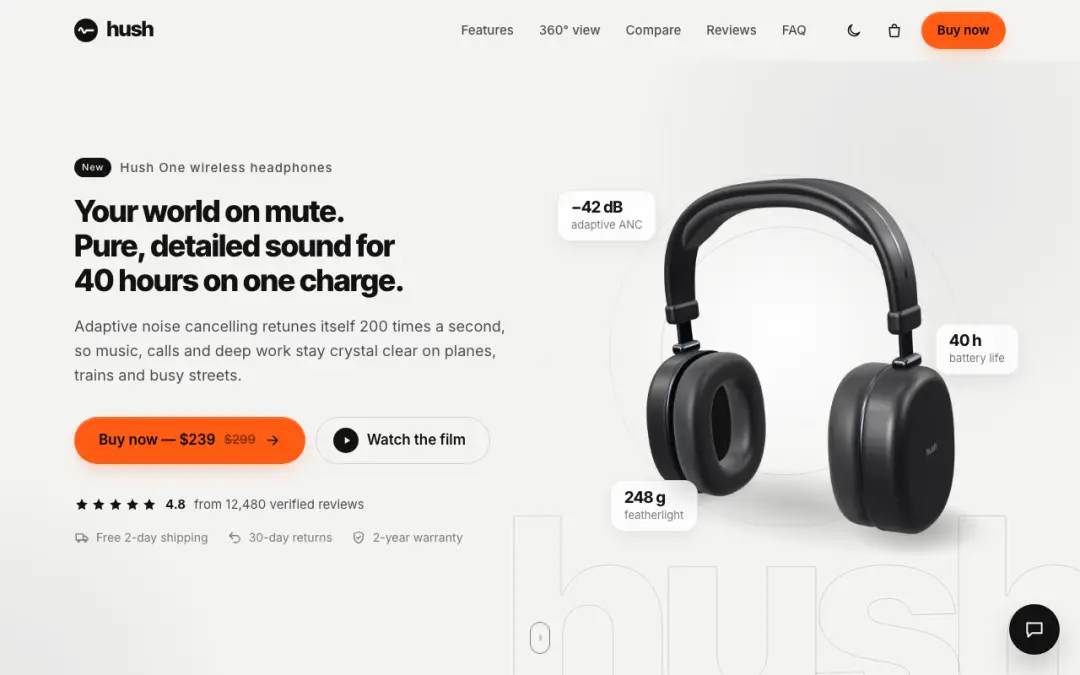
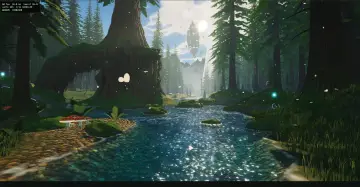
First screen of Hush One noise-cancelling headphones landing pageInteractivePlayable
Opus 5.5Prompt

Hush One noise-cancelling headphones landing page

@OpenVGLab · 11 stars

Create a clean, minimalist product landing page with a monochromatic color scheme Use a bold, sans-serif font for headlines (24-36px) and a readable sans-serif for body text (16-18px) Implement a hero section with a high-quality product image or video, animated on scroll Design a sticky header with logo, navigation, and CTA button Write a concise, benefit-focused headline (60-80 characters) and subheadline (120-160 characters) Include a prominent CTA button with contrasting color and hover effect Add social proof elements: customer testimonials, trust badges, and review scores Create an interactive product showcase with 360-degree view or augmented reality feature Implement a comparison chart highlighting key features and benefits Design an FAQ section with expandable answers to address common objections Use micro-interactions and subtle animations to enhance user engagement Optimize page load speed to under 3 seconds, implement lazy loading for images Create a mobile-responsive design with easy-to-tap buttons (min 44x44px) Implement schema markup for rich snippets in search results Add a live chat widget for instant customer support Create an exit-intent popup with a special offer to reduce bounce rate Implement a sticky "Add to Cart" button that appears on scroll Use white space effectively to improve readability and focus attention Add a countdown timer for limited-time offers to create urgency Implement a progress bar showing steps to purchase Create custom illustrations or icons to visualize product benefits Use parallax scrolling effect for background elements Implement a sticky social share bar for easy sharing Add a section showcasing related or complementary products Implement a dark mode toggle for improved user experience Create an email capture form with a relevant lead magnet Use CSS animations for subtle background effects Implement a sticky video player for product demonstrations Add keyboard navigation support for accessibility Create a dynamic pricing calculator based on user selections Implement a floating CTA button that appears on scroll Use custom cursor effects to enhance interactivity Create an animated infographic to explain complex features Implement a chatbot for personalized product recommendations Add a section highlighting your unique selling propositions Create a dynamic testimonial slider with customer photos Implement scroll-triggered animations for key product features Use custom SVG animations to illustrate product functionality Create an interactive size guide or product configurator Implement a sticky order summary for multi-step checkout process

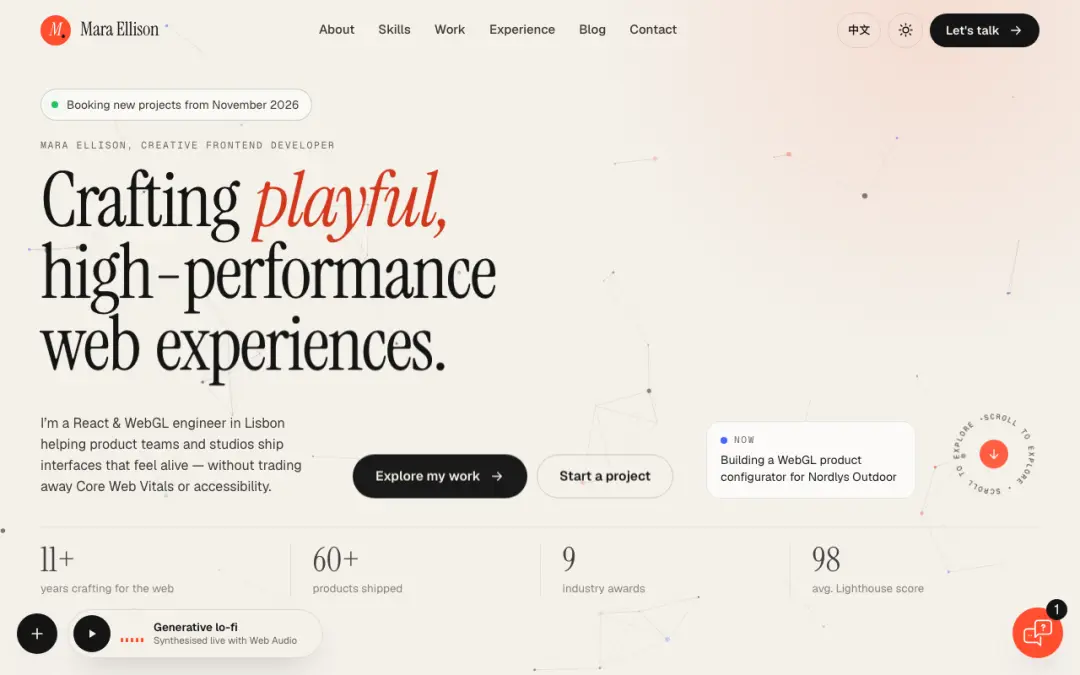
First screen of Creative front-end developer portfolioInteractivePlayable
Opus 5.5Prompt

Creative front-end developer portfolio

@OpenVGLab · 11 stars

# Core Portfolio Features ## Header and Navigation ### Fixed Header - Design a minimalist, fixed header with a logo, navigation menu, and a contact button. - Use `react-scroll` for smooth scrolling to sections. - Add an animated hamburger menu for mobile navigation using Framer Motion. ### Custom Cursor - Implement a custom cursor using `react-custom-cursor`. - Add a mouse trailer effect using `react-mouse-particles`. ### Keyboard Navigation - Use `react-focus-lock` for accessible keyboard navigation. ## Hero Section ### Animated Text Reveal - Use Framer Motion for animated text reveal effects. ### Particle Background - Add a `particles.js` background for subtle, interactive visuals. ## About Section ### Professional Headshot and Bio - Include a professional headshot and a concise bio. ### Scroll-Based Storytelling - Use the AOS library for scroll-based animations. ## Skills Section ### Animated Progress Bars - Use Chart.js for animated progress bars or radar charts. ### Skills Word Cloud - Add an interactive word cloud using `react-wordcloud`. ### Custom Tooltips - Use `react-tooltip` for skill explanations. ## Projects Showcase ### Masonry Grid - Use `react-masonry-css` for a responsive masonry grid. ### Filterable Categories - Implement filterable categories for projects. ### Modal Popups - Add modal popups for detailed project views. ### Lazy Loading - Use `next/image` for lazy loading of project images. ### WebGL Transitions - Use Three.js for WebGL-powered transitions between projects. ## Testimonials ### Carousel - Use Swiper.js for a testimonials carousel with autoplay and pause on hover. ## Experience Timeline ### Vertical Scroll Animations - Use the AOS library for scroll animations in the experience timeline. ## Blog Section ### File-Based Routing - Use Astro’s `src/pages` structure for easy navigation. ### Markdown Content - Use Markdown for blog posts with frontmatter for metadata. ### Content Collections - Implement Astro’s content collections for organized blog post management. ### Dynamic Blog Post Pages - Create a `[slug].astro` page for individual blog post rendering. ### Static Site Generation (SSG) - Use Astro’s SSG for optimal performance and SEO. ### Blog Post Lists - Use `Astro.glob()` to query and display blog post lists on index and archive pages. ### Syntax Highlighting - Use Astro’s built-in support for syntax highlighting in code blocks. ### RSS Feed - Implement an RSS feed using Astro’s RSS package. ### Tagging System - Create a tagging system with individual tag pages for content organization. ### Reading Time Estimation - Implement reading time estimation for each blog post. ### Table of Contents - Design a table of contents component for long-form articles. ### Related Posts - Add a related posts section at the end of each blog post. ### Social Sharing Buttons - Implement social sharing buttons for each blog post. ### Newsletter Subscription - Design a newsletter subscription form with Astro’s form handling. ### Comments System - Integrate a comments system using Disqus or Utterances. ### Featured Posts Carousel - Design a featured posts carousel for the homepage. ### Custom Video Player - Create a custom video player component for video content. ### Time to Read Progress Bar - Implement a "time to read" progress bar for blog posts. ### Copy Code Button - Add a "copy code" button for code blocks. ### Custom Blockquote - Design a custom blockquote component with styling options. ### Last Updated Indicator - Add a "last updated" indicator for blog posts. ## Contact Section ### Contact Form - Add a contact form with client-side validation and reCAPTCHA integration. ### Drag-and-Drop File Upload - Use `react-dropzone` for file uploads. ## Social Media Integration ### Floating Action Button - Add a floating action button for quick access to social media profiles. ### Animated Icons - Use SVG animations and GSAP for animated social media icons. ## Additional Features ### Dark Mode - Implement a dark mode toggle using custom hooks and `localStorage`. ### Audio Player - Add a custom audio player for background music with play/pause toggle. ### Scroll-to-Top Button - Add a scroll-to-top button that appears after scrolling down. ### Microinteractions - Use `react-spring` for button and link animations. ### Custom Loading Screen - Use SVG animations for an animated logo loading screen. ### Interactive Resume - Create an interactive timeline with expandable sections. ### Custom 404 Page - Design a 404 page with animated illustrations using Lottie. ### Confetti Effect - Use `react-confetti` for achievements or special events. ### Live Chat - Add a live chat widget using `react-chat-widget`. ### Interactive Globe - Use `react-globe.gl` to show work locations. # SEO Checklist (Fully Included and Enhanced) ## On-Page SEO ### Title and Meta Description - Use a clear, concise title tag and compelling meta description with primary keywords. ### Heading Tags - Use a single `<h1>` tag and structure content with `<h2>` to `<h6>` tags, incorporating relevant keywords. ### URL Optimization - Optimize URLs and include primary keywords in the first 100 words. ### Schema Markup - Implement schema markup using JSON-LD for rich snippets (FAQ, product, review, event). ### Image Optimization - Optimize images with descriptive ALT tags and SEO-friendly file names. ### Internal Linking - Add internal links with descriptive anchor texts. ### Breadcrumb Navigation - Implement breadcrumb navigation and markup. ### Canonical Tags - Use canonical tags to avoid duplicate content issues. ### Pagination - Implement proper pagination with `rel="prev/next"` tags. ### AMP - Implement AMP for news/blog content. ## Technical SEO ### XML Sitemap - Create and submit an XML sitemap. ### Robots.txt - Implement a `robots.txt` file to control crawler access. ### Mobile-Friendliness - Ensure the website is mobile-friendly and responsive. ### HTTPS - Ensure the website uses HTTPS. ### Page Speed - Optimize page speed by minimizing HTTP requests, using a CDN, and lazy loading. ### Core Web Vitals - Optimize for LCP, FID, and CLS. ### JavaScript Handling - Ensure proper handling of JavaScript for search engine crawlers. ### Dynamic Rendering - Use dynamic rendering for JavaScript-heavy pages if necessary. ## Advanced SEO ### International Targeting - Use `hreflang` tags for multi-lingual support. ### Voice Search Optimization - Optimize for voice search by using natural language and FAQ schema. ### Google Discover - Optimize for Google Discover by using high-quality images and engaging content. ### Local SEO - Implement structured data for local business information. ### Video SEO - Use schema markup for video content. ### News SEO - Optimize for Google News using the `news_keywords` meta tag. # Deployment and Maintenance ### Deployment - Deploy on Vercel or Netlify for optimal Next.js performance. ### Analytics - Integrate Google Analytics or other tracking tools. ### Backup and Updates - Regularly back up the project and update dependencies. # Testing and Debugging ### Cross-Browser Testing - Test the website on Chrome, Firefox, Safari, and Edge. ### Performance Testing - Use tools like Lighthouse, PageSpeed Insights, and WebPageTest. ### Debugging - Use React DevTools and Next.js debugging tools.

02How-to

How to Write an Opus 5.5 Website Prompt

The 8 pages on this topic come from one public test set (OpenVGLab, awesome-opus5.5-frontend-showcases). The prompts range from a 9-character line to a 1,135-word spec; four are only a few lines long. Three were written in Chinese; we quote them in translation.

01

Put the output rule first

Five prompts open with a role or an output rule, often as a separate line.

"Only output one complete, runnable HTML file (inline CSS). No Markdown code fences, no explanation." (translated from Chinese) — LLM Arena pricing page
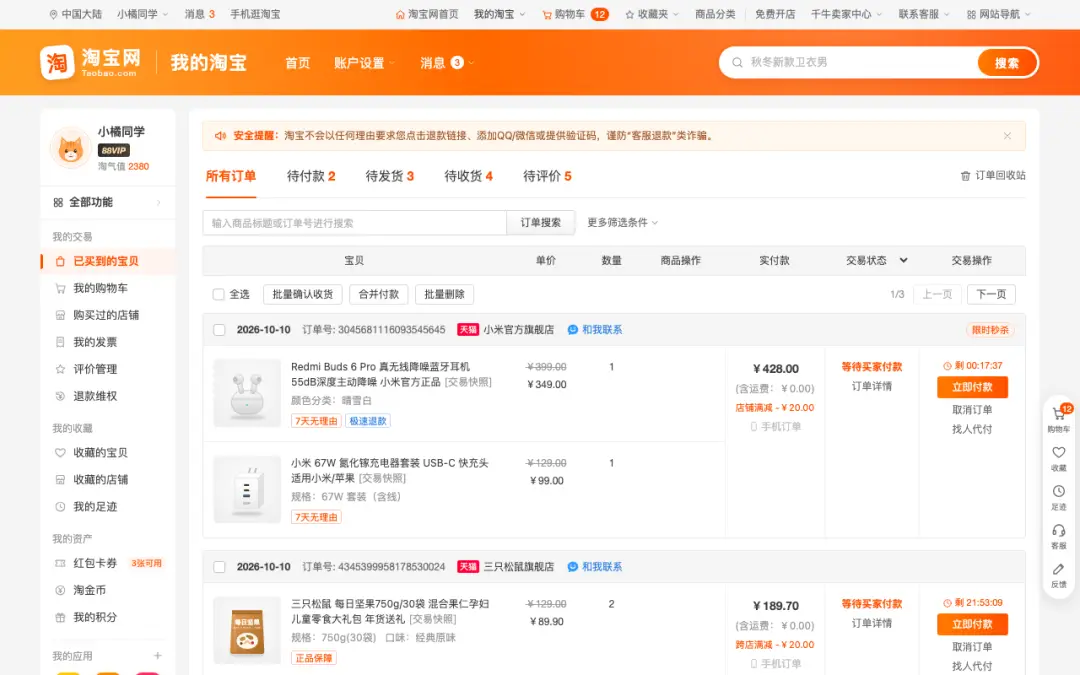
"Create an HTML page that mimics the Taobao order list page." — Taobao order page
02

Give the real content and the sections

Landing-page prompts list the facts and the sections. Some give numbers for type size and copy length. One lets the model pick the name.

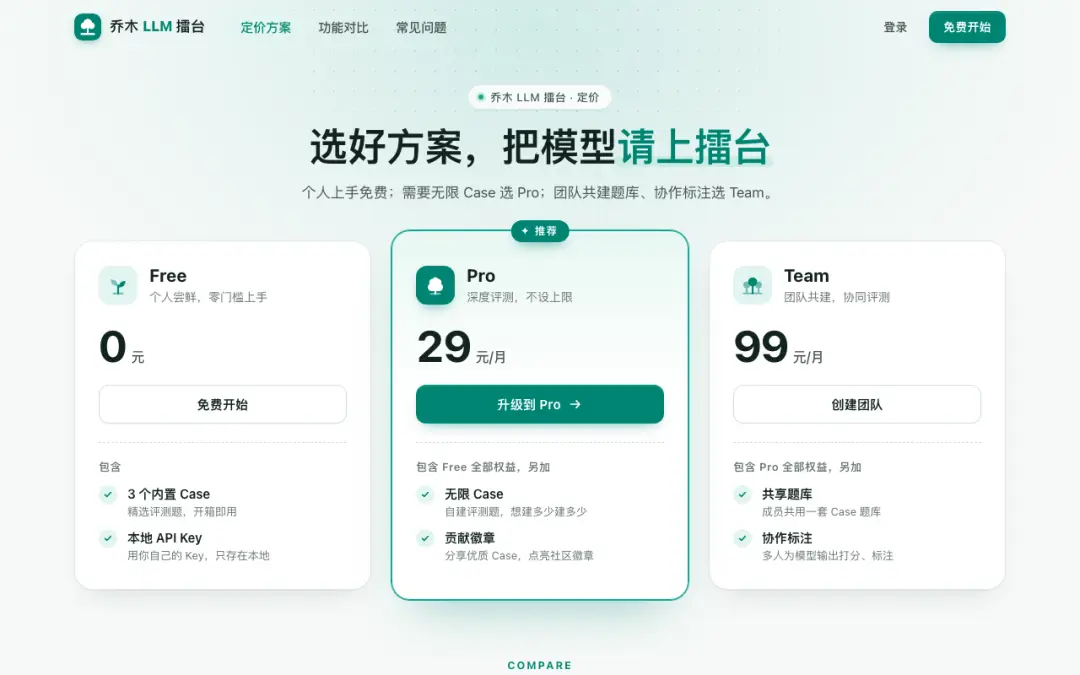
"Free: 0 yuan … Pro: 29 yuan/month … Team: 99 yuan/month" (translated from Chinese) — LLM Arena pricing page
"a bold, sans-serif font for headlines (24-36px)" — Hush One
"You come up with the name." — Quorum
03

State visual bans, layout and tech limits

Short prompts add a few hard rules: colors to avoid, mobile layout and how much JavaScript to use. Two prompts ban purple gradients.

"Light background, teal accent, no purple gradient" (translated from Chinese) — LLM Arena pricing page
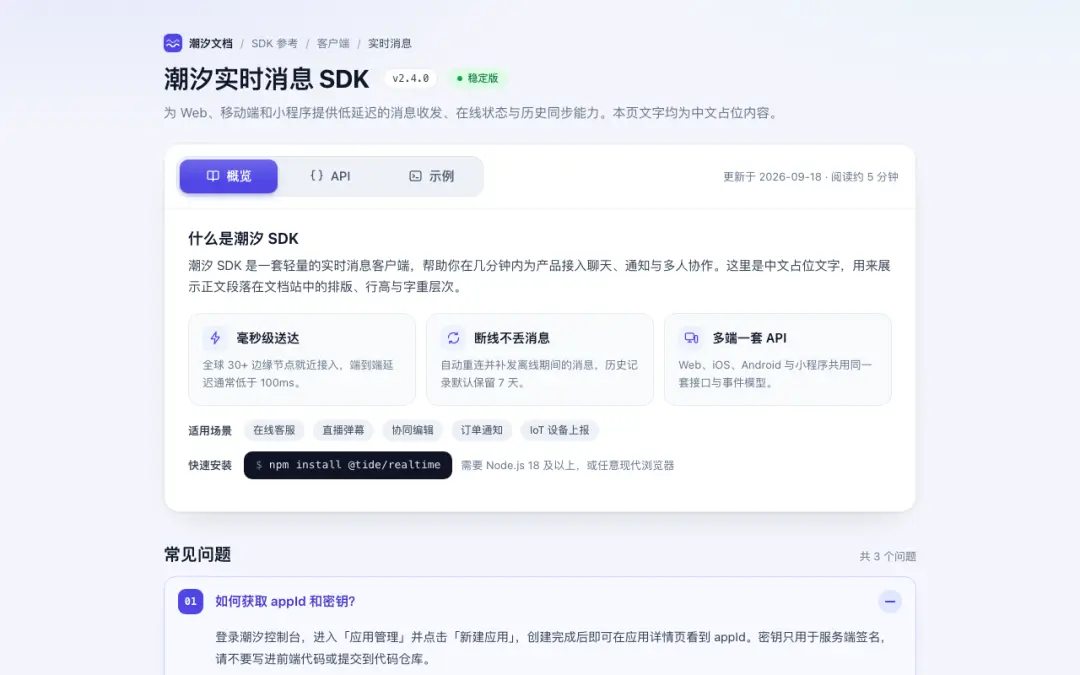
"Use as little JS as possible; for tabs, prefer the radio/checkbox hack." (translated from Chinese) — CSS docs page
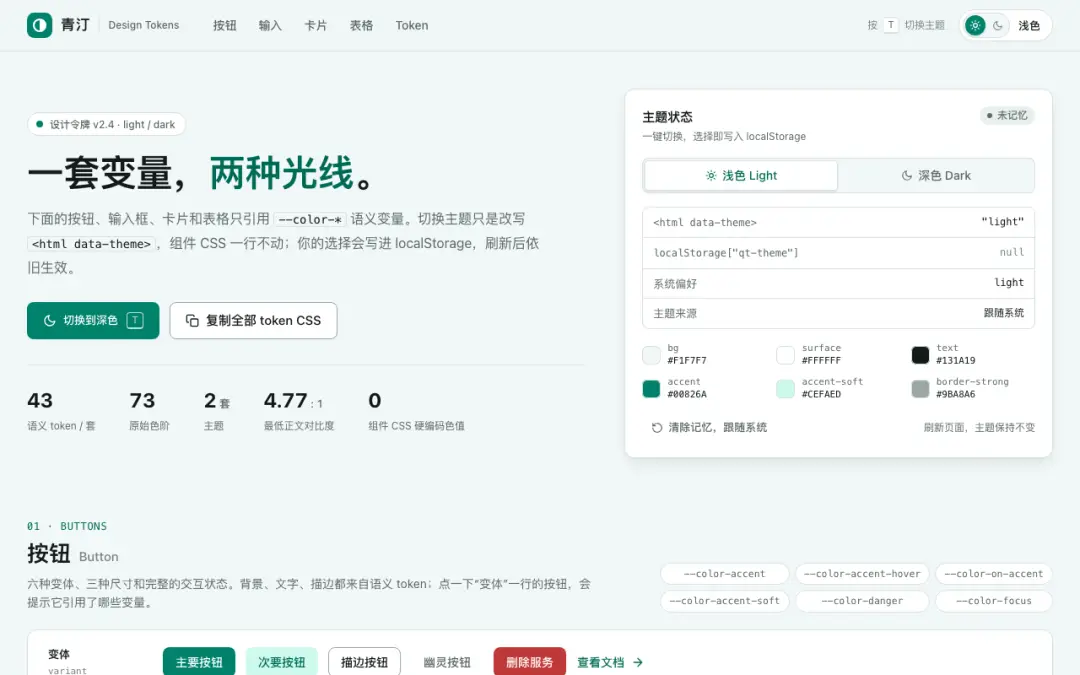
"Use CSS variables for two token sets, light and dark … remember the choice in localStorage." (translated from Chinese) — Teal design tokens

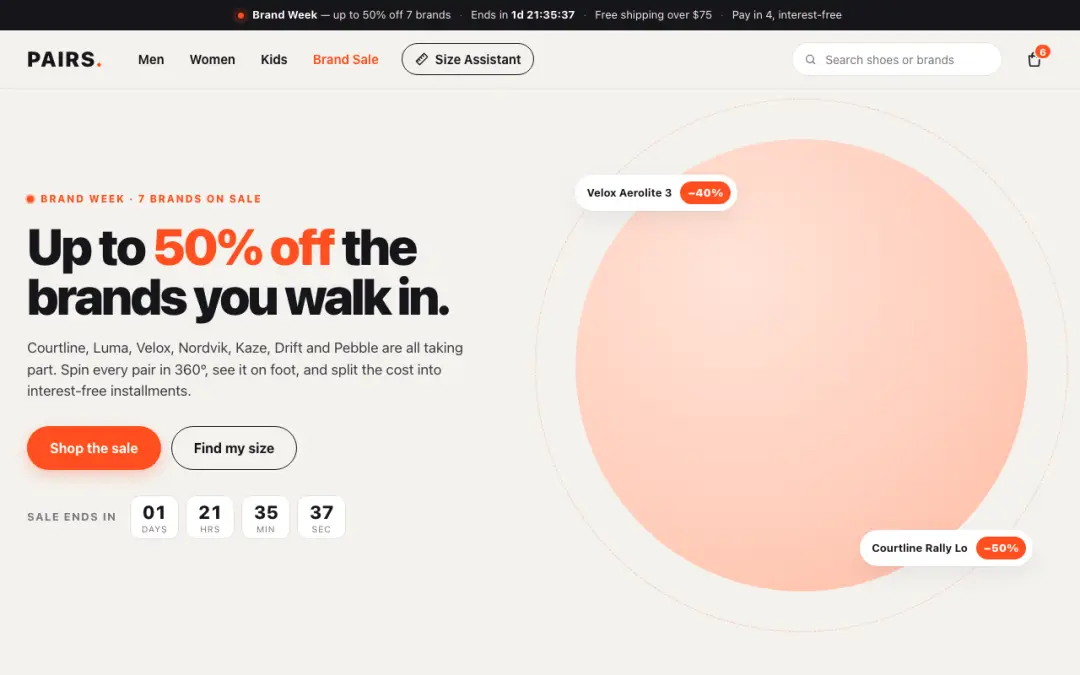
Longer specs list pages and features one by one, such as a size-chart dialog and cart merging (PAIRS), or name each library to use (portfolio).

03Copyable · quoted verbatim

Hero, Layout and UI Prompt Templates

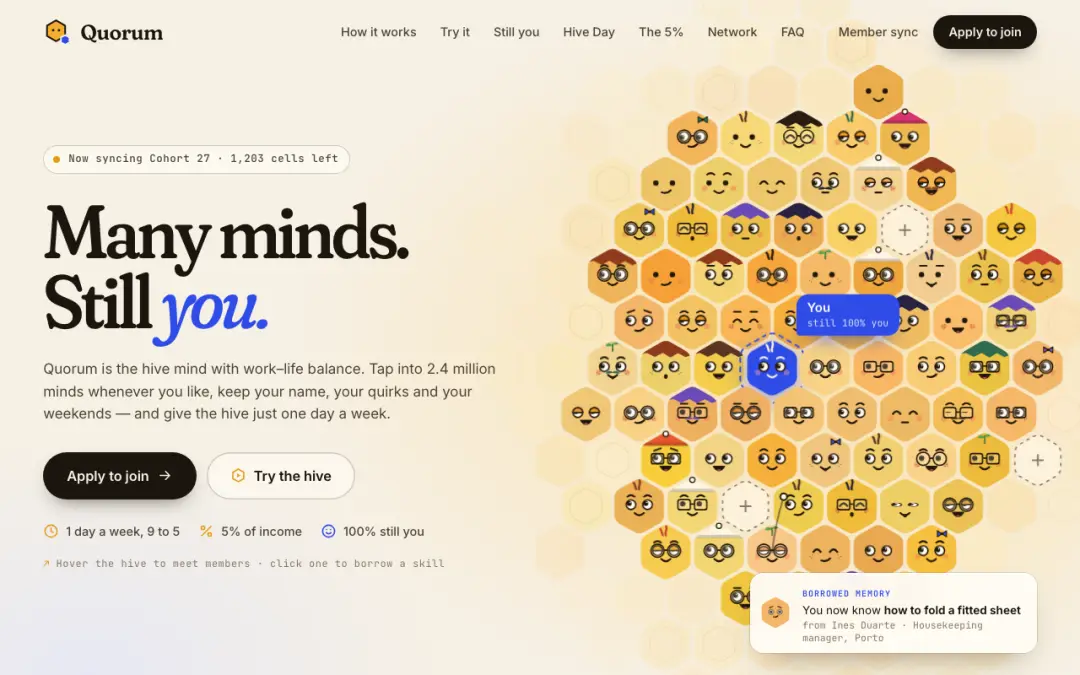
Template · Quorum: a hive-mind recruiting landing pageQuoted verbatim
Generate a landing page as a marketing page for joining our Hive Mind. The unique perks of our Hive Mind is that you still get your individual identity. You just pretty much have access to everyone else's mind. And you do get some objectives, but you only work for the Hive Mind one day a week from 9 to 5. You also need to pay 5% on income. In exchange, you get access to a wide network of professionals and opportunities. You come up with the name.
Opus 5.5@OpenVGLab87 wordsOpen case →
Template · LLM Arena pricing pageQuoted verbatim
Generate a complete single-file HTML pricing page.
Brand name: Qiaomu LLM Arena
Three tiers:
- Free: 0 yuan, 3 built-in cases, local API key
- Pro: 29 yuan/month, unlimited cases, contributor badge
- Team: 99 yuan/month, shared question bank, collaborative annotation
Visual requirements:
1. Light background, teal accent, no purple gradients;
2. Three-column pricing cards, with the middle Pro card slightly emphasized;
3. Responsive: switch to a single column on narrow screens;
4. Include a header navigation and a one-line footer "Powered by Xiangyang Qiaomu";
5. No dependencies other than an external font CDN (system fonts are fine).
Translated from the Chinese original.Prompt source
Opus 5.5@OpenVGLab41 wordsOpen case →

04Related topics

Related: Opus 5.5 Video Prompts

05FAQ

Frequently Asked Questions

What counts as an Opus 5.5 website design case?

A case whose output is a working web page or landing page and whose source names Claude Opus 5.5.

Why are there no cases yet?

We list a case only when its output is a live page and its source names the model and shares the prompt. The grid fills as verified cases are collected.

Are the prompts edited?

No. Prompts are quoted from the public source; translations are marked as translations.